Paper trading, converting and cutting · Built and working
Horreya
A complete Arabic operations system for a paper trading, converting and cutting factory, from the delivery of a roll to the customer's statement. It installs on the device and keeps working with no internet.
- Client
- Horreya
- System type
- Full ERP, an installable web app (PWA) with six roles
- Our role
- Full build — understanding the factory's operations, then design and engineering
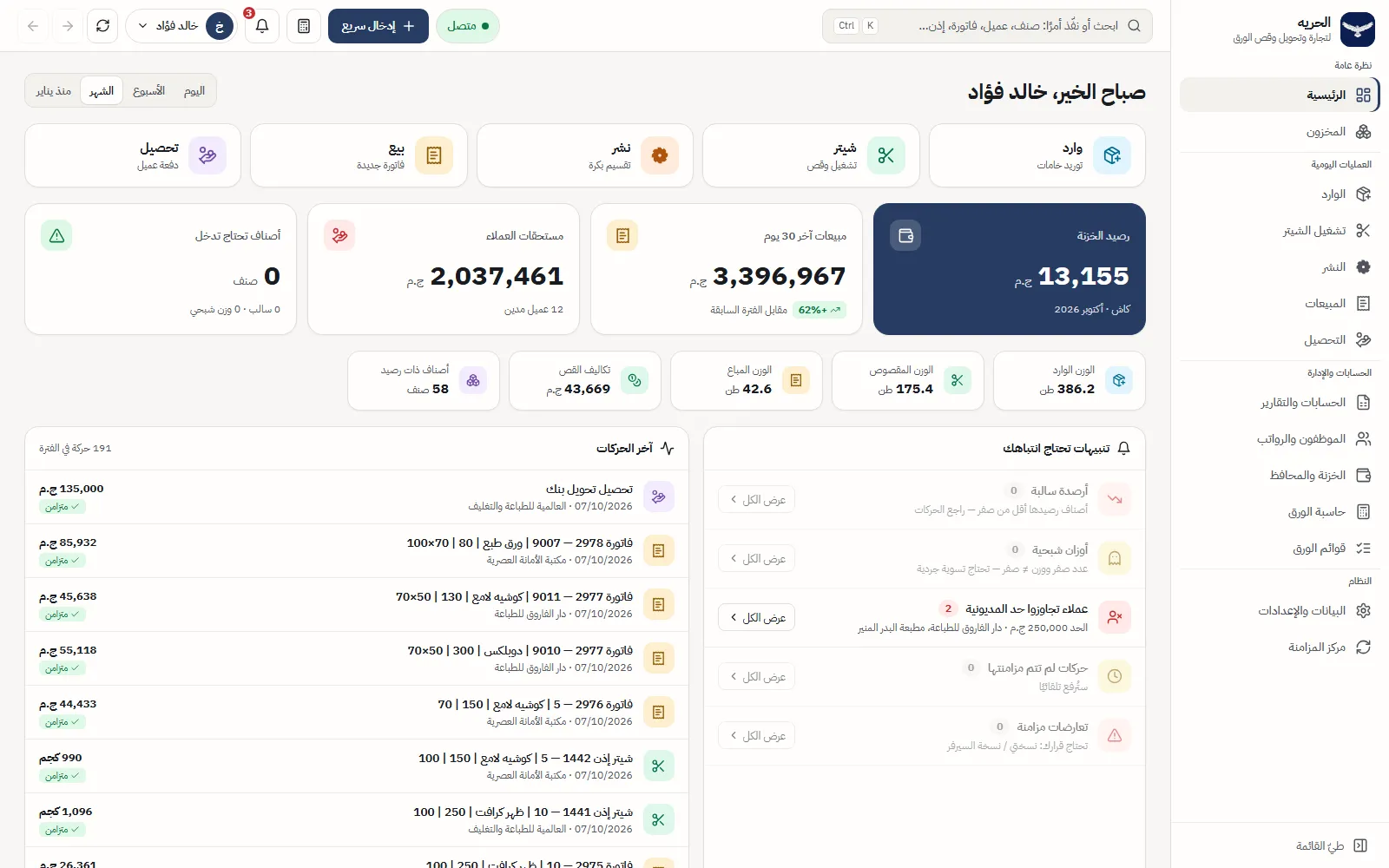
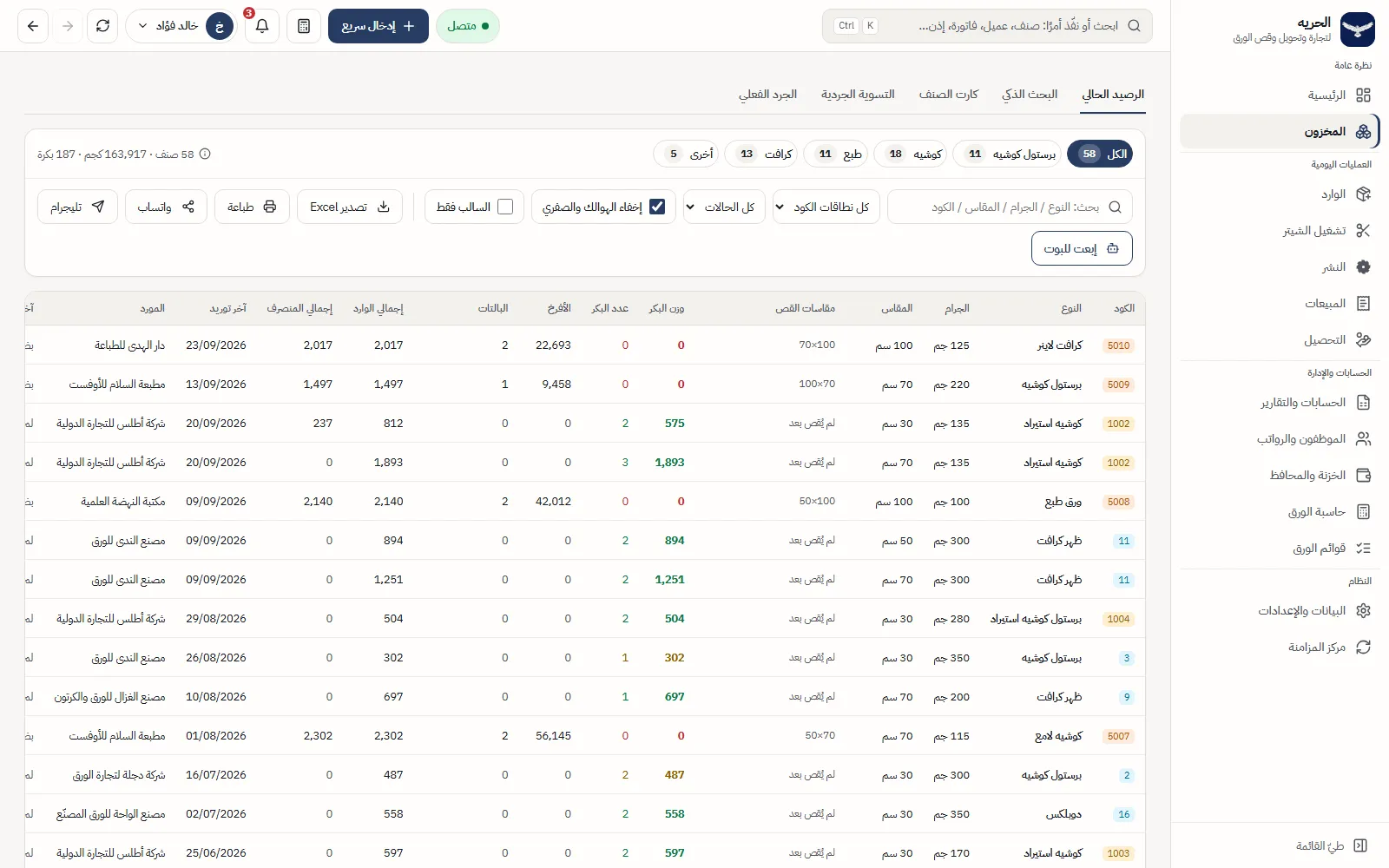
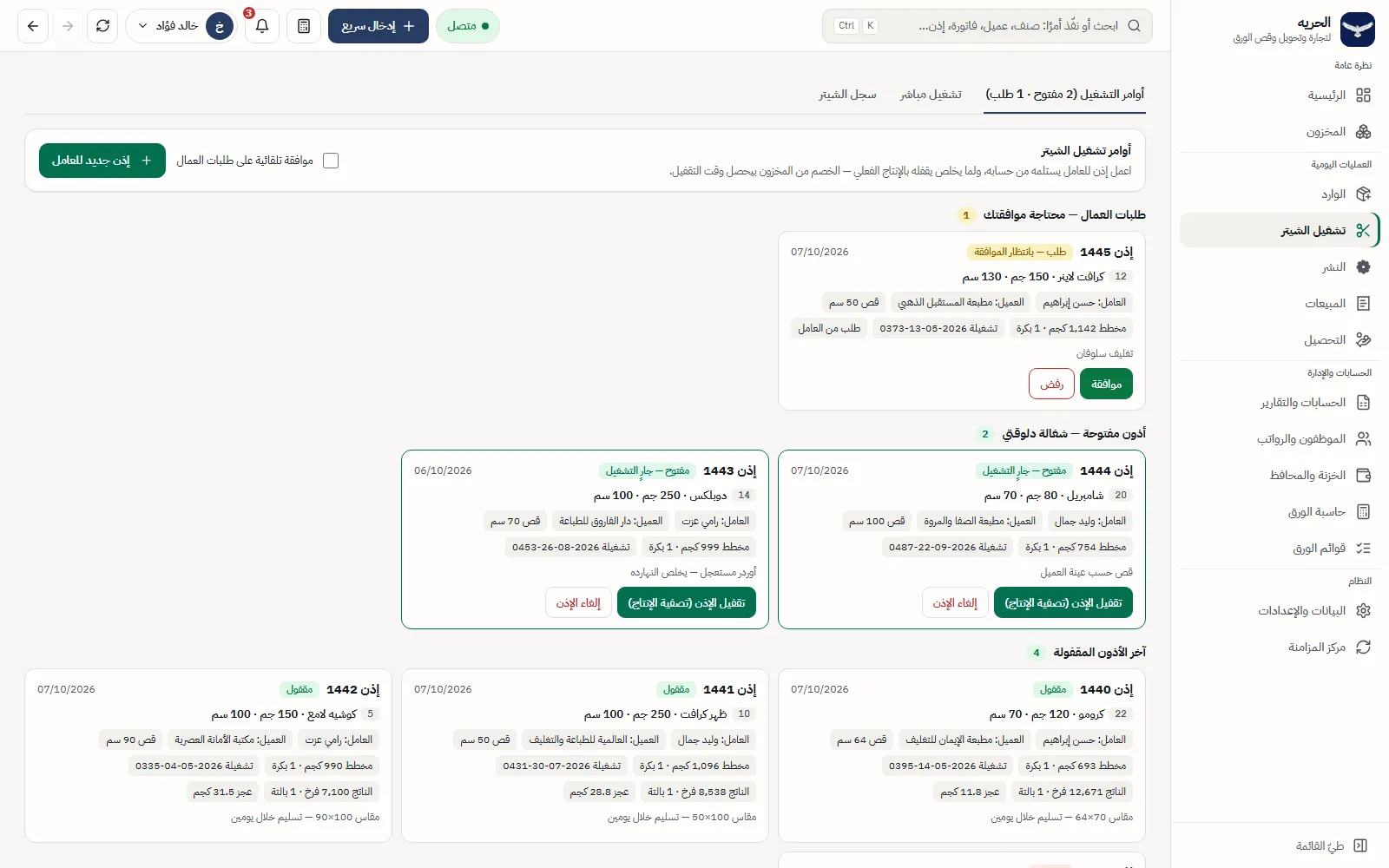
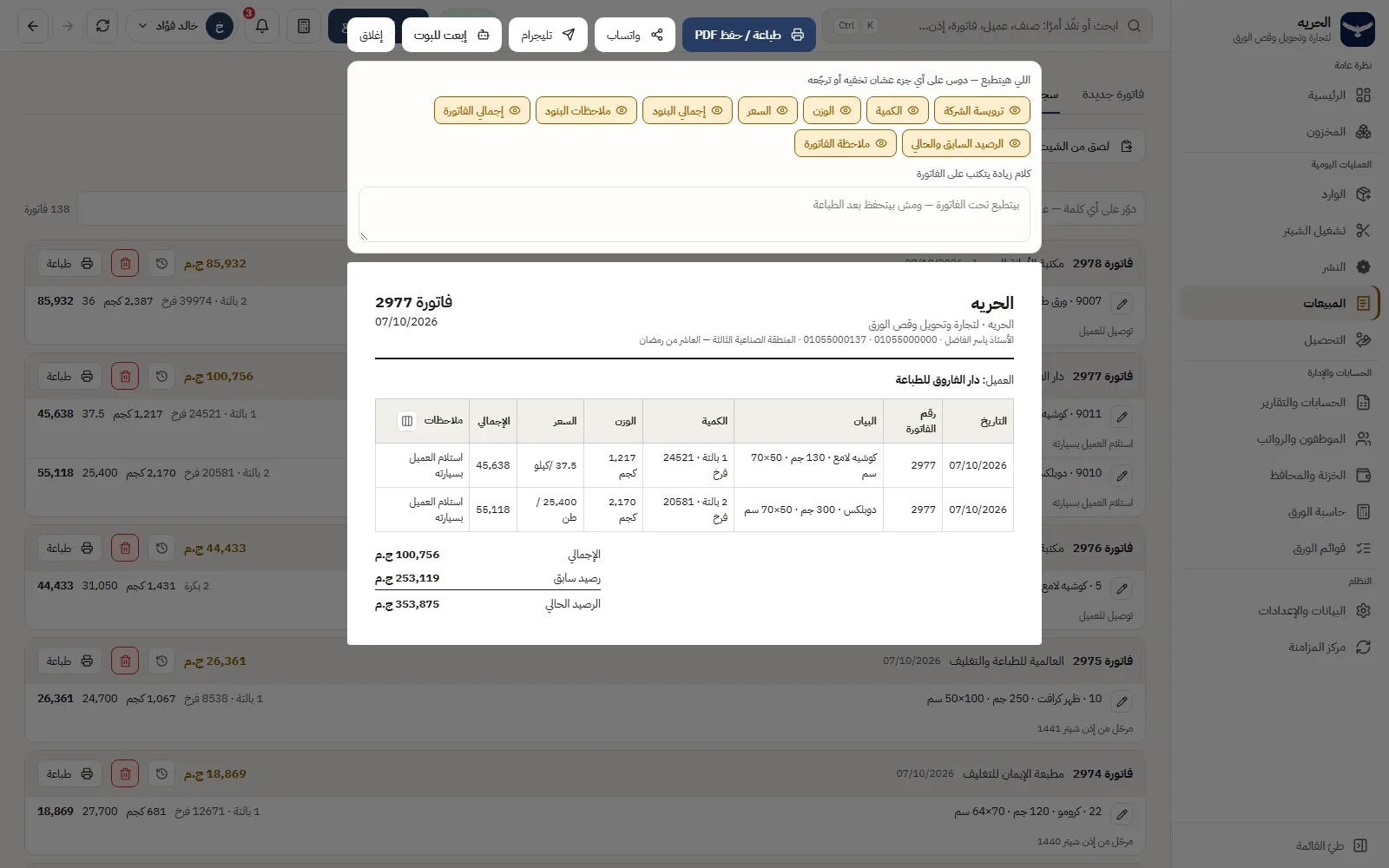
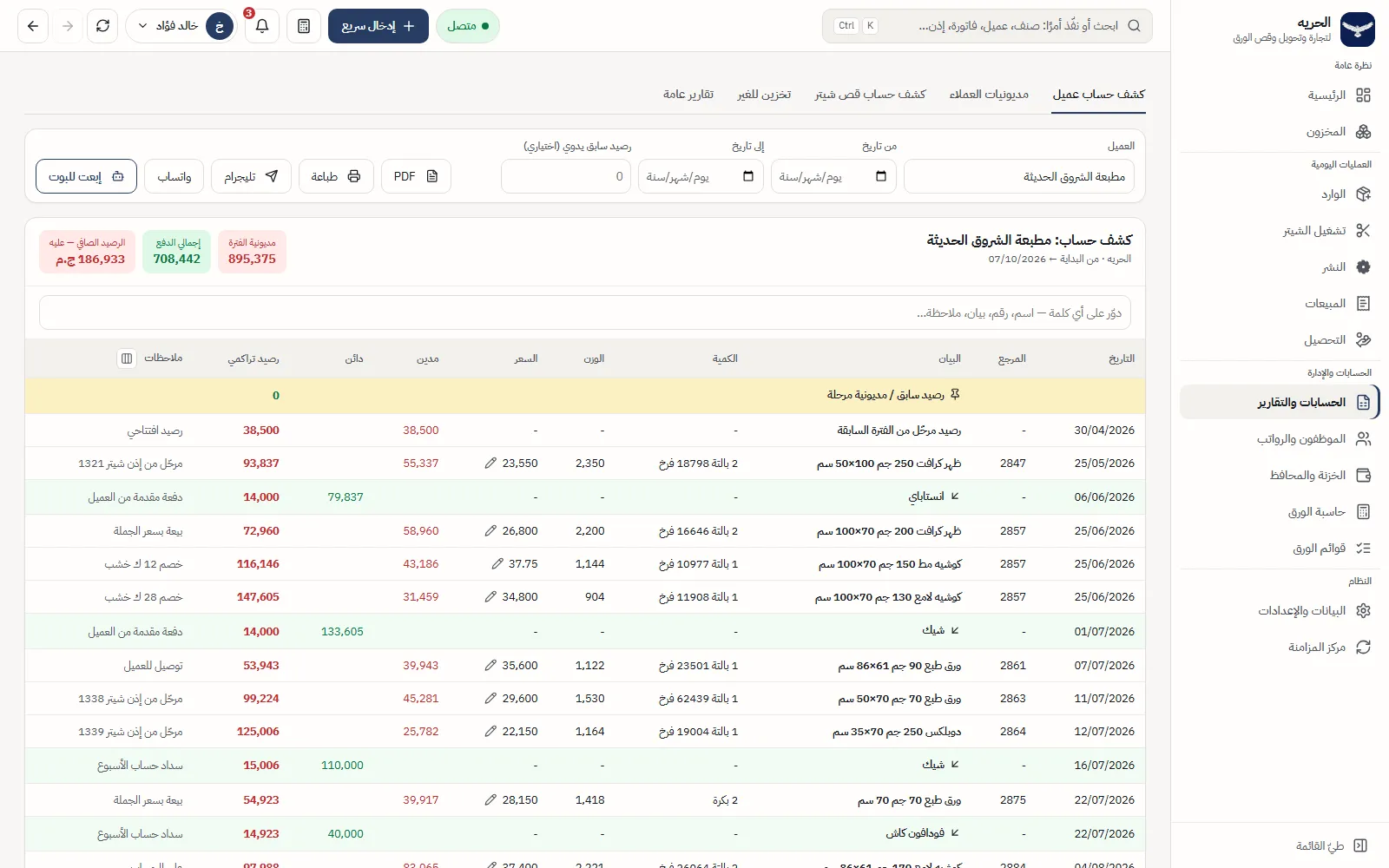
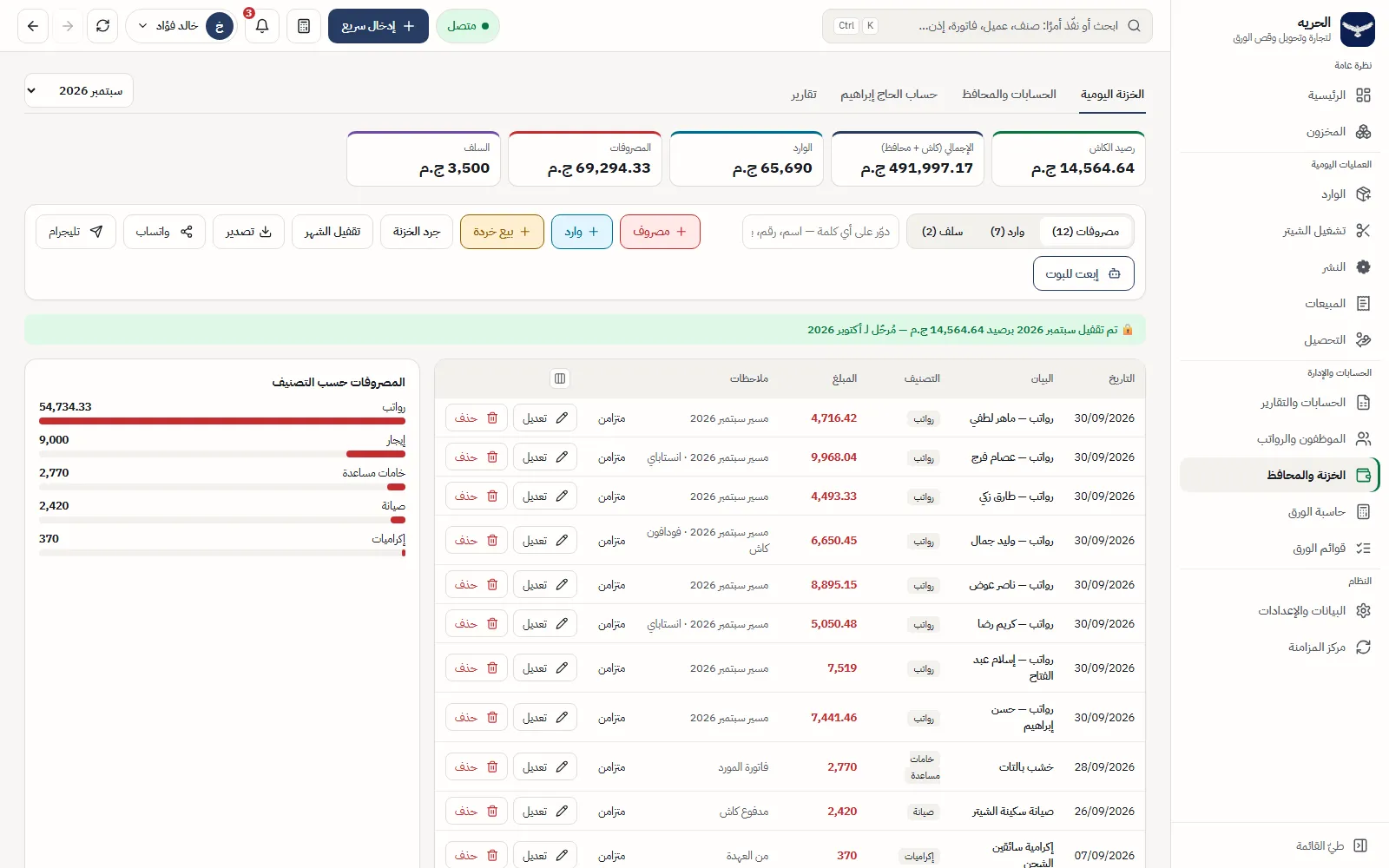
A complete operations system for a paper trading, converting and cutting factory, built to replace Google Sheets and Apps Script. Incoming rolls, stock, slitting, sheeter runs, sales, collections, customer statements, the cash desk, staff and payroll live in one place: 15 screens and 44 tabs. Every movement is written once into a ledger and every balance is calculated from it, never typed. It installs on the device, keeps working with no internet, and gives each of six roles only the screens and actions it is allowed, with the server enforcing every write. The interface is Arabic, right to left, throughout.
- 15
- screens, including a public roll page that needs no sign-in
- 6
- roles, with permissions set per employee
- 14 × 4
- permission sections × actions: view, add, edit, delete
- Sector
- Paper trading, converting and cutting
- System type
- Full ERP, an installable web app (PWA)
- Coverage
- 15 screens · 44 tabs · 14 sidebar sections in four groups
- Users
- Six roles: full-access owner, view-only owner, accountant, production supervisor, storekeeper and viewer
- Screens per role
- Owner 14 · accountant 10 · production supervisor 8 · storekeeper 8 · viewer 5
- Language and direction
- Arabic only — right to left on every screen, table and form, with Latin digits (0–9) so financial figures read easily
- Devices
- Desktop and phone, and it installs on the device as an app — the sidebar becomes a bottom bar on a phone
- Without internet
- Keeps working and uploads everything when the connection returns
The problem before the system
The factory ran everything in Google Sheets, with Apps Script programs beside them. That works at first. With daily use, its limits became clear.
Read the detailHide the detail6 points
- Stock
- — An item's balance was calculated by formulas spread across several sheets. Any row edited by hand could change a balance with no written record.
- Sheeter and slitting
- — The cut weight, the shortfall and the cost were calculated in cells, and nothing stopped an incomplete entry.
- Sales and collections
- — The invoice and the customer's balance sat in separate files, so a statement had to be assembled.
- Permissions
- — Whoever opened the file saw everything, and whoever could edit it could change anything.
- Without internet
- — A file on the network stopped when the connection dropped.
- Change history
- — There was no clear record of who changed what, and when.
Understanding the factory before writing a line
Read the detailHide the detail
We started by reading what actually ran: the original Apps Script programs, the factory's sheets and their formulas — not what was said about them. We pulled out the operating rules exactly as they were: how an item's balance is calculated, how the sheeter formula works, how invoices are numbered.
Then we treated those rules as a contract. They change only with the owner's approval, and before any large step we wrote down what would change, why, and what it would affect.
We made one founding decision: the interface the owner approved is the interface the factory runs on, so the people on the floor did not have to learn an unfamiliar system in a single day.
Beyond the main flow, the system also covers the jobs a paper office does by hand all day. Prints match the screen, whether invoices, receipts, statements or job tickets, and a PDF comes from the same sheet. Rows copied from Excel can be pasted in: the system recognises the kind of sheet and rejects a file that is uploaded twice. The paper calculator accepts sums, such as adding a list of weights.
We change things in small steps that can be reversed. Anything that touches balances or money goes through tests that run on a local copy kept apart from the real data, and every decision about a business rule is recorded and shown to the owner before it is carried out.
How it runs: one ledger for every movement
Everything that happens in the factory is recorded as a movement in a ledger, and balances are calculated from the ledgers themselves, never written by hand.
Read the detailHide the detail11 points
- 01
Incoming
Receiving rolls or pallets raises the item's balance, creates a lot and gives every roll a code with a QR label.
- 02
Slitting
One operation deducts the parent roll and records everything it produces.
- 03
Sheeter run
A work order uses rolls and works out the cut weight, the shortfall and the cost from the approved rules.
- 04
Sales invoice
A numbered invoice: quantity times price gives the total, and the stock balance is deducted.
- 05
Collection
A receipt records the payment, by cash, transfer, cheque or wallet.
- 06
Customer statement
Invoices and payments join into one balance nobody argues over.
The balance is calculated
Every figure on the screen is calculated from the ledger movements, not typed in by hand.
Cancel, do not delete
An invoice, a job ticket and a receipt are marked cancelled, and the record stays visible.
A job ticket deducts nothing until it is closed
Stock moves only when the ticket is closed with the real production.
Numbers never repeat
Invoice numbers and job ticket numbers run in sequence, and every roll has its own code.
The server has the final say
Hiding a button on the screen is only a convenience. The real refusal happens on the server, on every write.
The practical result: any customer balance reads back to its invoices and receipts, and any roll in the warehouse reads back to its delivery and every run it went through.
The departments
13Read the detailHide the detail13 points
- Home
- Figures for the period, the cash balance, customer dues and alerts that need a decision.
- Stock
- Balances by weight, rolls, sheets and pallets, smart search by specification, the item card, count and adjustment.
- Incoming
- Receive a supply or goods held for a customer, print QR roll labels, paste rows from Excel.
- Sheeter
- Work orders, direct runs and a log, with posting to sales.
- Slitting
- Slitting operations, and slitting orders held until the weights come back.
- Sales
- Invoices by the ton or the kilo, printed with the parts the user picks, as PDF or sent.
- Collections
- Receipts by several payment methods, and adjustments on the customer.
- Accounts and reports
- Customer statements, debts, the cutting-service statement, storage for others and general reports.
- Staff and payroll
- Employees, movements (advances, deductions, overtime, absence), a payroll sheet and a printed payslip.
- Cash desk and wallets
- A daily cash desk, wallets and accounts, cheques and the owner's ledger.
- Paper tools
- A paper calculator that takes formulas, and paper lists exported to Word and CSV.
- Settings
- Items, customers and suppliers, prices and limits, users and permissions, the audit log.
- Sync centre
- When two copies of a row conflict, the difference is shown field by field and the user decides.
Arabic first, installable, and working offline
The interface is Arabic, right to left, on every screen, table and form. It runs on a desktop and on a phone, installs on the device as an app, and keeps working when the connection drops.
Read the detailHide the detail7 points
- Figures use Latin digits (0–9), so financial numbers are easy to read inside Arabic text.
- On a phone the sidebar becomes a bottom bar, and the quick-entry buttons (incoming, sheeter, slitting, sale, collection) are enlarged for touch.
- Installed on the device, the app opens even with no connection. A copy of the data is kept on the device, and every movement waits in a queue until it can be sent.
- When the connection returns, everything is uploaded on its own. A light in the header shows whether the system is connected.
- Sending is safe to repeat: every movement has its own fixed identifier, so sending it twice records it once.
- Every roll label carries a QR code that opens the roll's own page, so the warehouse can trace a roll with a phone camera.
- Prints match the screen — invoices, receipts, statements and job tickets — with the PDF made from the same sheet.
Home on the phone
The screens
33 screensThe software is real; the data in the screenshots is not. Every customer, supplier, employee and user, and every price, weight, invoice, balance, cheque, salary and date shown is generated demo data, built on a separate local data set with no connection to the factory's real data, and the date in every capture is fixed at 7 October 2026. What is real: the application itself with its screens, tabs, buttons, calculations and printing, and the name Horreya with its logo, shown with the factory owner's consent.
Overview
Stock
Incoming
Sheeter
Slitting
Sales
Collections
Accounts
Staff and payroll
Cash desk
Tools
Permissions and audit
Roles
Phone and offline
What changed
| Before | After |
|---|---|
| Where work is managed: Google Sheets and Apps Script programs | One system with an Arabic interface |
| Balances: formulas spread across several sheets | Calculated from the ledgers themselves |
| When the internet drops: work stops | Work continues and syncs later |
| Permissions: whoever opens the file sees and edits | Six roles, and permissions set per employee |
| Change history: no clear record | An audit log, and cancellation instead of deletion |
| Invoices, receipts and statements: assembled by hand | Printed, saved as PDF and sent from the screen |
| Reports: prepared by hand | Sent to Telegram with one press |
This table describes a change in how the work is done — what the system now does that the spreadsheets did not — not measured gains. There is no before-and-after measurement of time saved or errors avoided, so no percentage is claimed.