Dental radiology centres · Built — versions 2.0.0 to 2.7.2
Majd Scan
An Arabic desktop system that runs a dental radiology centre on its own local network — from registering a case to closing the day — with a waiting-room screen, an X-ray viewer and a read-only phone view.
- Client
- Majd Scan
- System type
- Multi-machine desktop app on a local network, with a read-only phone view
- Our role
- Full build — from the owner's requests to a single installer
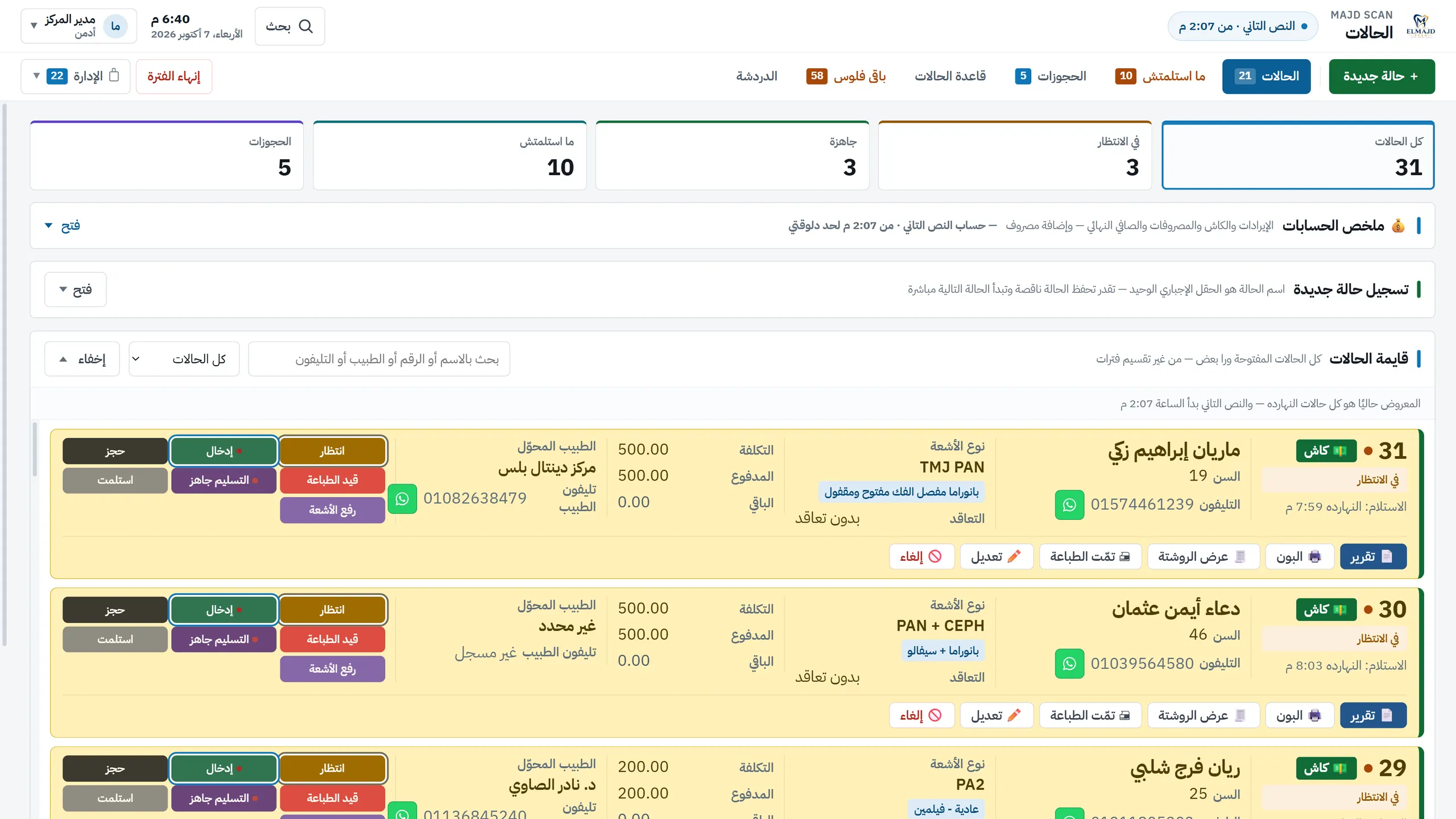
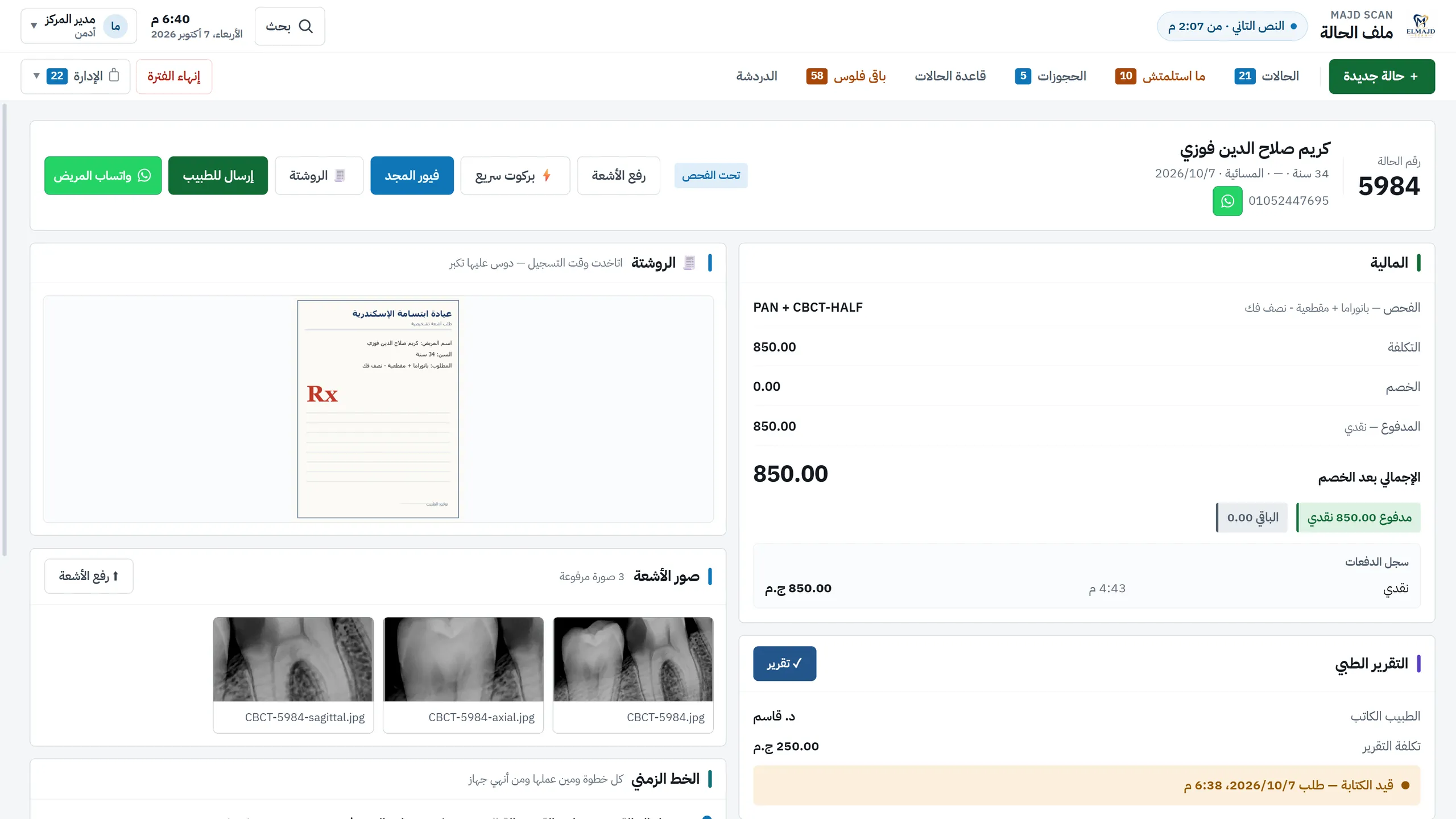
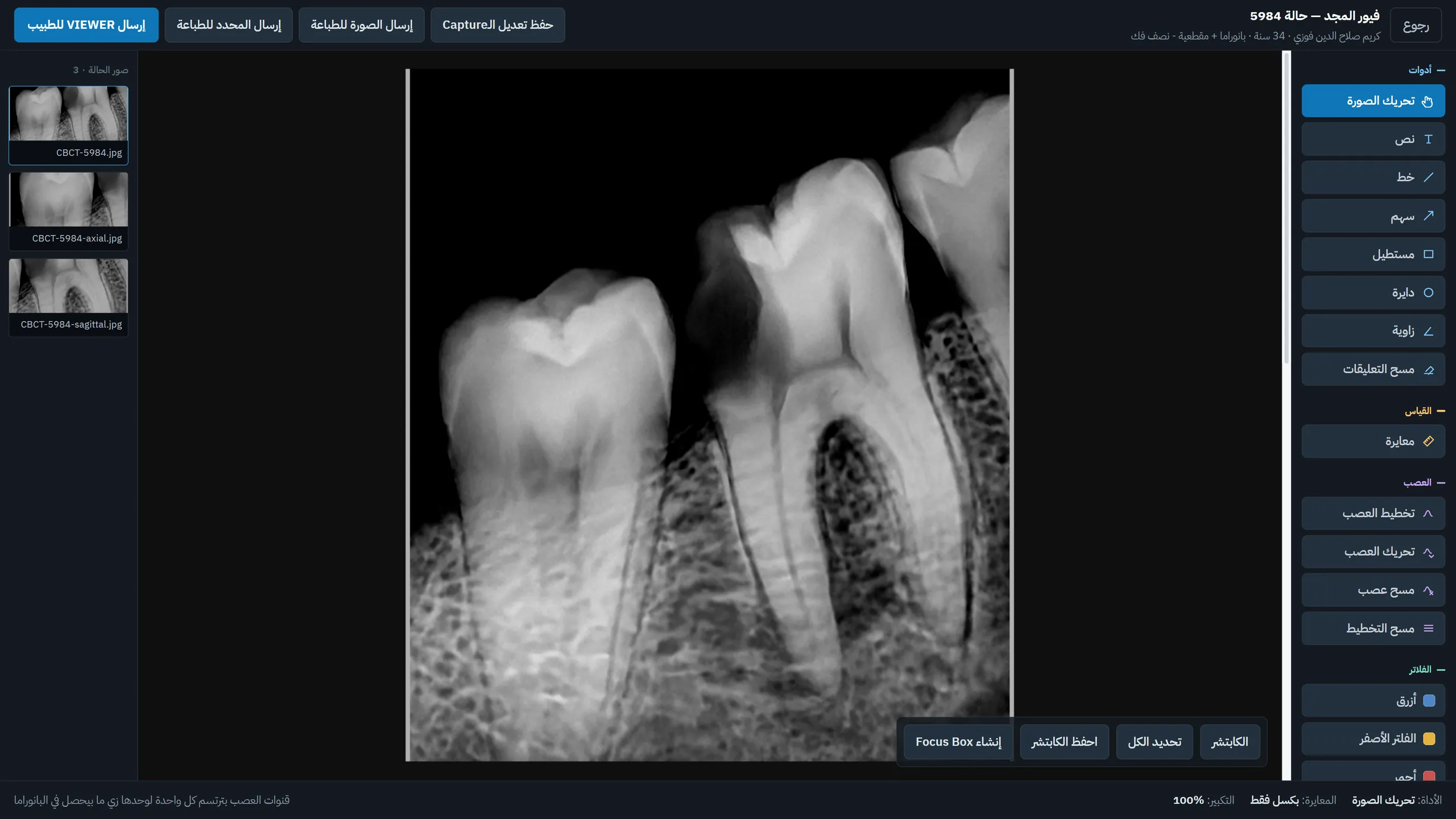
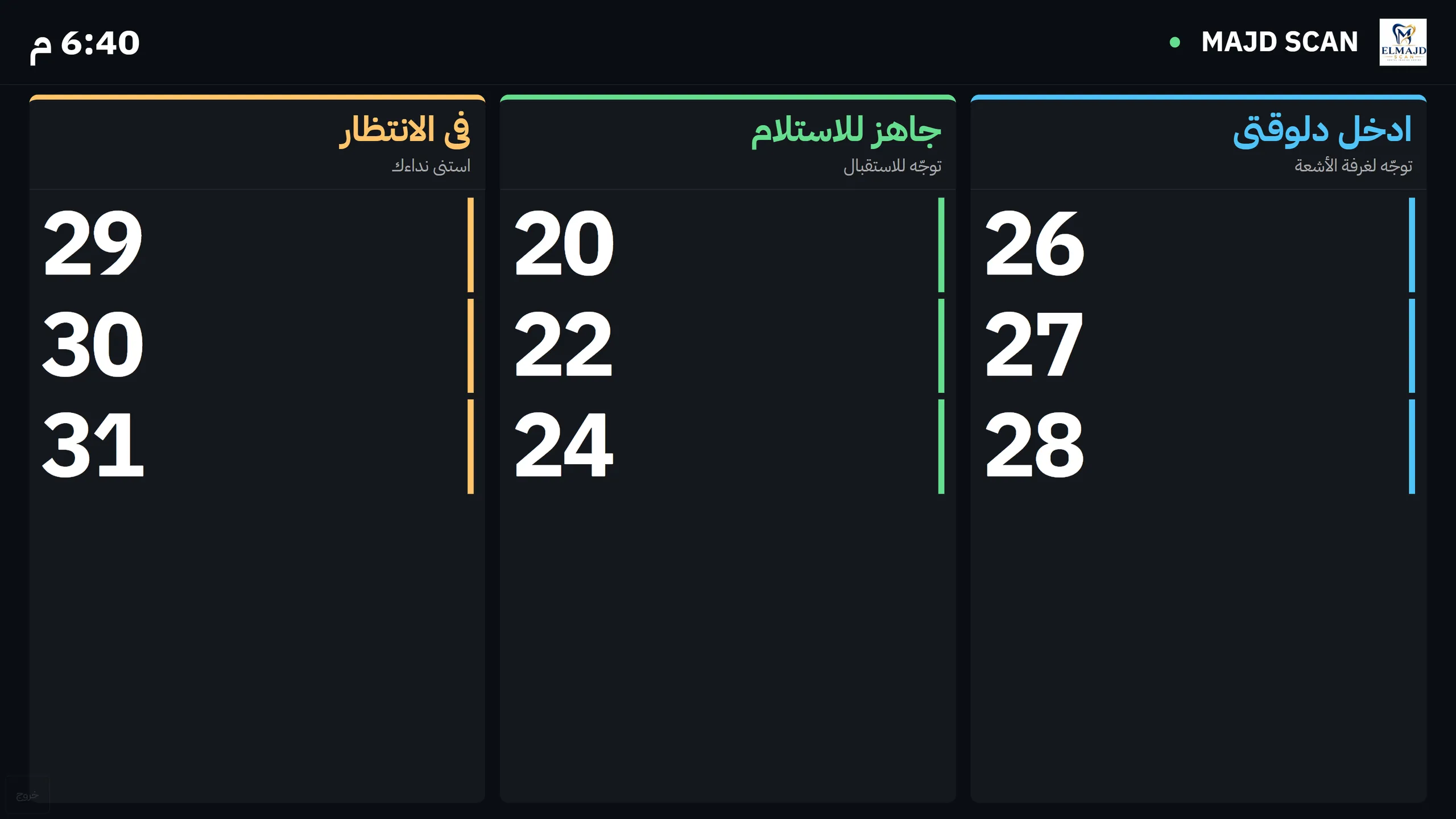
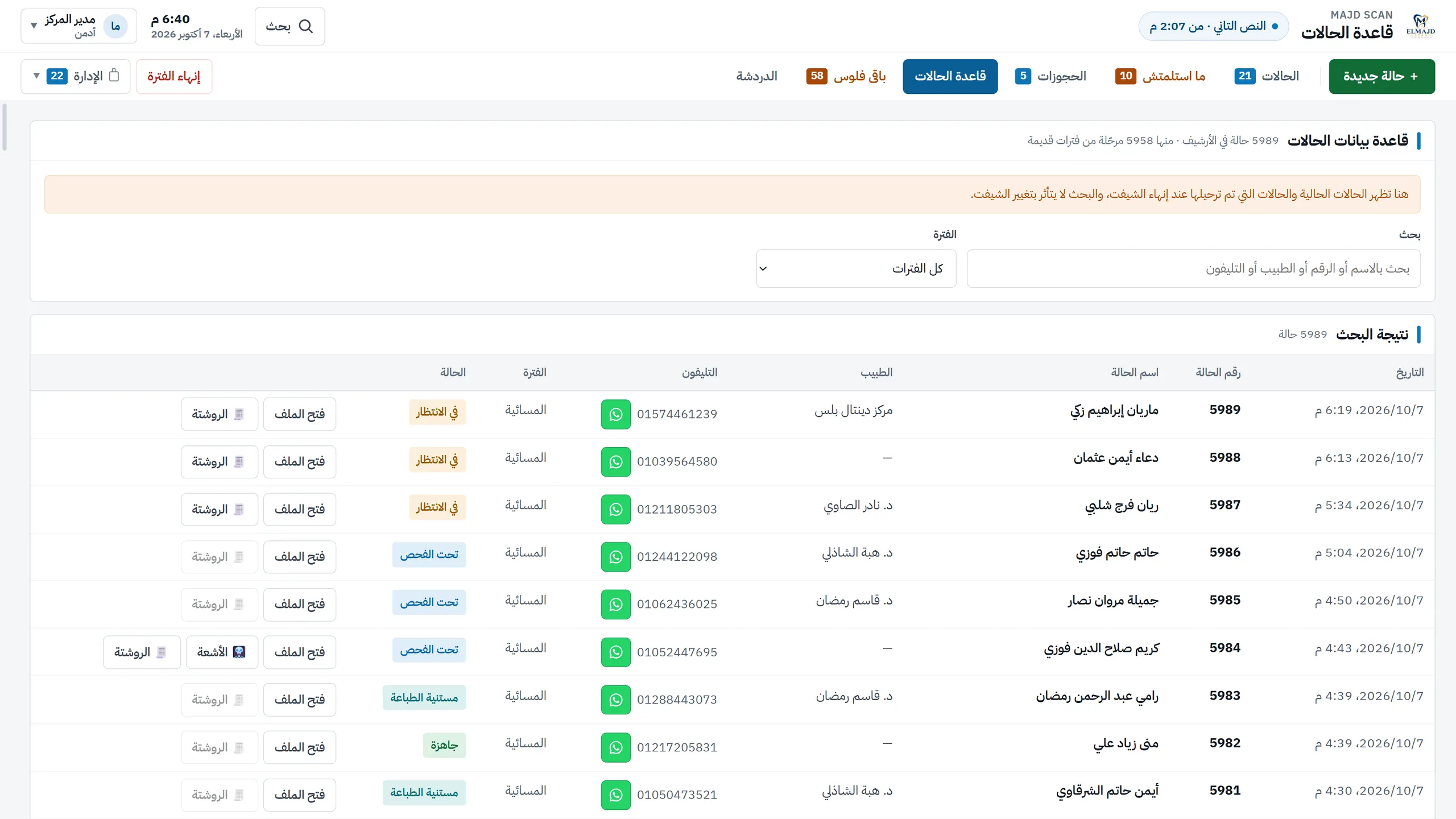
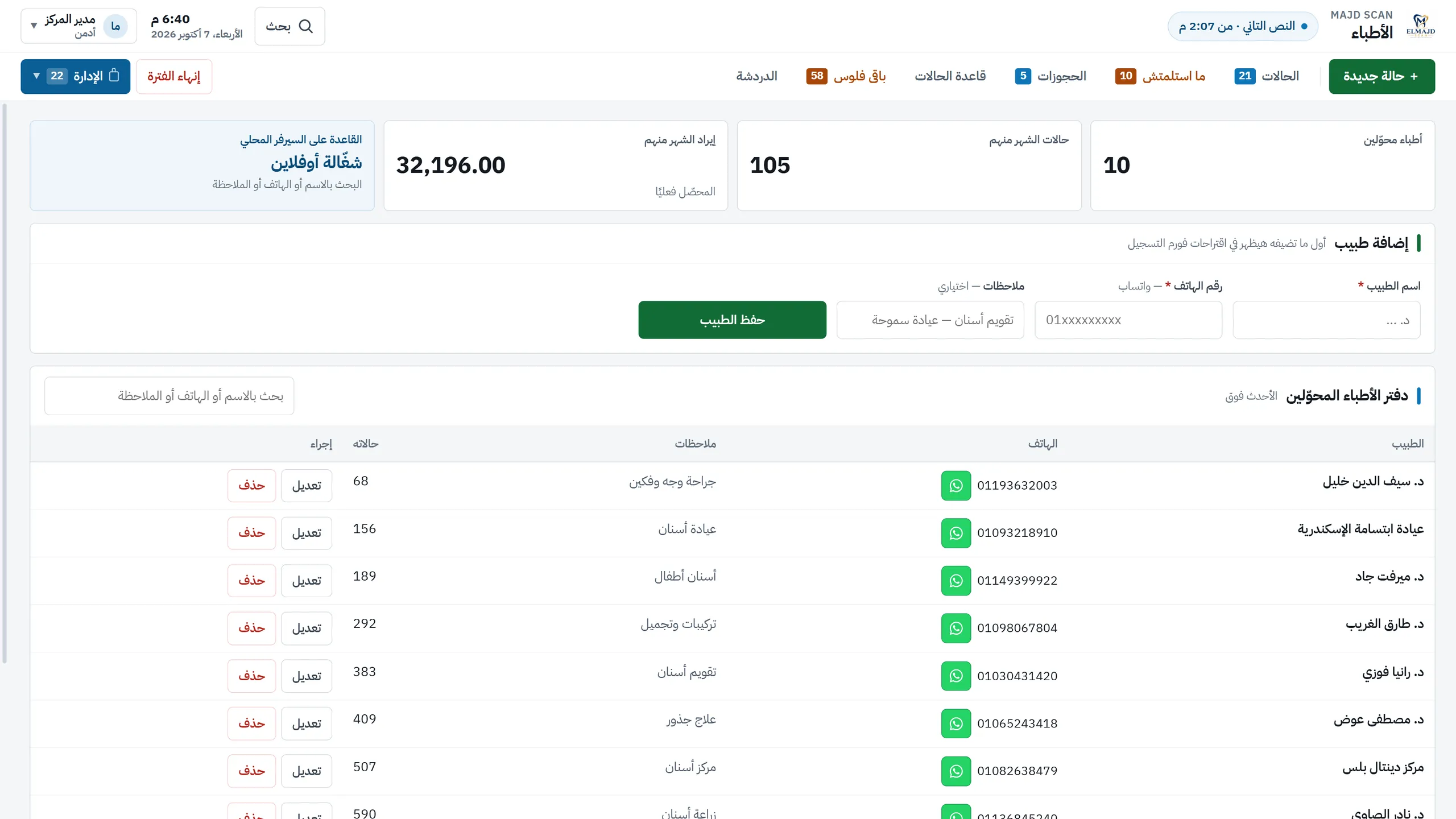
Majd Scan is an Arabic desktop system for a dental radiology centre. It runs on five machines over the centre's own network, with no dependence on the internet: reception acts as the server, three workstations join it, and a laptop drives the waiting-room TV. A case is followed from registration, payment and receipt, through the call, the X-rays and the report, to hand-over and closing the day. Each employee sees only the menu their role allows, every sensitive change is logged with the person and machine behind it, and a read-only phone page lets staff watch the queue from a mobile. The interface is entirely Arabic and right-to-left.
- 32
- screens in the program
- 5
- machines on the centre's network, by design
- 10
- release numbers, 2.0.0 to 2.7.2
- 30
- automatic backups kept by default
- Sector
- Dental radiology centres
- System type
- Desktop app on a local network, plus a read-only phone view
- Machines
- Reception as server, three workstations and a waiting-room TV laptop; a phone for reading and a browser for the shared X-ray viewer
- Covers
- Cases, payment and receipts, calling, X-rays, reports and printing, hand-over, shifts and expenses, doctors and contracts, supplies, permissions and backups
- Language
- Arabic only — fully right-to-left
- Platform
- Windows
- Built
- From 3 to 30 September 2026
What the centre asked for
We do not describe how any centre worked before the system. What we know is what the owner himself asked for, recorded in his own words as numbered requests. These are the things the system had to get right.
Read the detailHide the detail6 points
- The same figures on every machine
- — Cost, discount and remaining balance must come out the same wherever the case was registered.
- A call that can be seen as well as heard
- — The owner asked for the spoken call to be written on screen too, in case a patient misses it.
- Privacy in a public room
- — For the waiting-room screen the answer was: the case number only. So the number is all it shows.
- Working when one machine loses the network
- — A disconnected machine should still be able to record something, and hand it to the server the moment it reconnects.
- Different rights for staff and manager
- — Every operation should leave a trace carrying the name of the person who did it.
- Following the queue from a phone
- — A page for the phone inside the local network, deliberately not as complete as the desktop.
The requests came as voice messages and short videos, and each was written down and checked against what the owner actually said.
Starting from the owner's own words
Read the detailHide the detail
The work started from what the owner said, not from a feature list. Each request, sent as a voice message or a short video, was written out, compared with his original wording and turned into a numbered commitment that keeps his sentence word for word.
Each commitment was then built, tested and checked before a new version left. Releases go out as one installer under a new number, and after one is installed the diagnostics screen shows which version every machine is running.
A case, from arrival to closing the day
This is the path every patient takes through the centre, and each stage is one the system itself enforces.
Read the detailHide the detail11 points
- 01
Register and pay
Services are picked, the cost is worked out, and a thermal receipt with a waiting number is printed.
- 02
Call
The case is called on every machine and on the waiting-room TV, which shows the number only.
- 03
X-rays
Images are uploaded from a machine or the scanner and opened in the built-in viewer.
- 04
Report and print
A doctor is chosen for the report and its fee recorded; the film is printed on the centre's letterhead.
- 05
Hand over and collect
Any balance is collected as the images are handed over, and the case is closed once collected.
- 06
Close the day
The manager ends the day, which starts at 4 a.m., and the cases move to the archive.
One figure everywhere
The balance is worked out in one place, so every machine shows the same amount.
Numbers only in public
The waiting-room screen shows case numbers, never names or amounts.
A dropped machine keeps working
A machine that loses the network can still record a case or an expense, and it is applied once, when the connection returns.
Every sensitive change is traced
Price, discount and payment edits are logged with the person and the machine.
Shared links expire
A link to X-rays lasts six hours by default and can be cancelled.
This describes how the system is built to run. It does not claim any measured result.
The departments
7Read the detailHide the detail7 points
- Reception and cases
- Registration, bookings, not-yet-collected, the archive and patient files.
- Calling and the hall
- Calls on every machine, the waiting-room screen, and chat between machines.
- X-rays
- Upload, viewer with measuring tools, printing and sharing with doctors.
- Accounts
- Collection, shifts, expenses, settling a period and price-change alerts.
- Doctors and bodies
- Doctors' ledger, monthly reports, contracts and their claims.
- Supplies
- Supplies, stock value, low-stock warnings and printable stocktake sheets.
- Administration
- Users, permissions, operations log, devices, backup and licence.
Arabic first, and smaller screens
The whole interface is Arabic and right-to-left. Beyond the desktop there are three smaller views, each with a defined job.
Read the detailHide the detail3 points
- The phone page is read-only and opens only on the centre's own network. It shows the live queue, a patient search and case details, and allows no registering, editing or calling.
- A doctor receives X-rays in a light viewer on their own phone, through a temporary link that lasts six hours by default.
- At tablet width, 768 pixels, tables turn into cards and the top menu drops to two rows, with the figures still readable.
Signing in to the phone page
The screens
43 screensEvery name, doctor, patient, phone number, device name and amount in the screenshots is invented demo data — no real person and no real operating figure appears anywhere. The program and its screens are real.
Case flow
Tables and archive
Accounts and business
Permissions and audit
Internal chat
One system, three menus
Tablet width
What the system is built to change
| Without the rule | In this system |
|---|---|
| The balance is a number typed by hand | Worked out from cost, discount and what was paid, as the form is filled in |
| A public screen shows patients' names | The waiting-room screen shows case numbers only |
| A machine without the network cannot record anything | It keeps registering a case or an expense and hands it over when the connection returns |
| Nobody can say who changed a price | Each price, discount or payment edit shows old value, new value, person and machine |
| Every employee sees the same menu | The menu follows the role, and the limit is enforced, not only hidden |
| X-rays are sent as loose files with the patient's details | A viewer link that expires, with the patient's finances never sent |
This table describes what the system is able to do, not measured gains. We have no measurement of the centre before the system, of time saved or of money, so none is claimed.