Dress rental — service retail · Deployed and running
Mayar Alaa Atelier
An Arabic-only internal operations system for a dress-rental atelier, where the booking lifecycle is enforced in the database itself — not in the interface and not in the form.
- Client
- Mayar Alaa Atelier — A real atelier. The name and visual identity are shown with the owner's permission.
- System type
- Internal web operations system with two roles: admin and staff
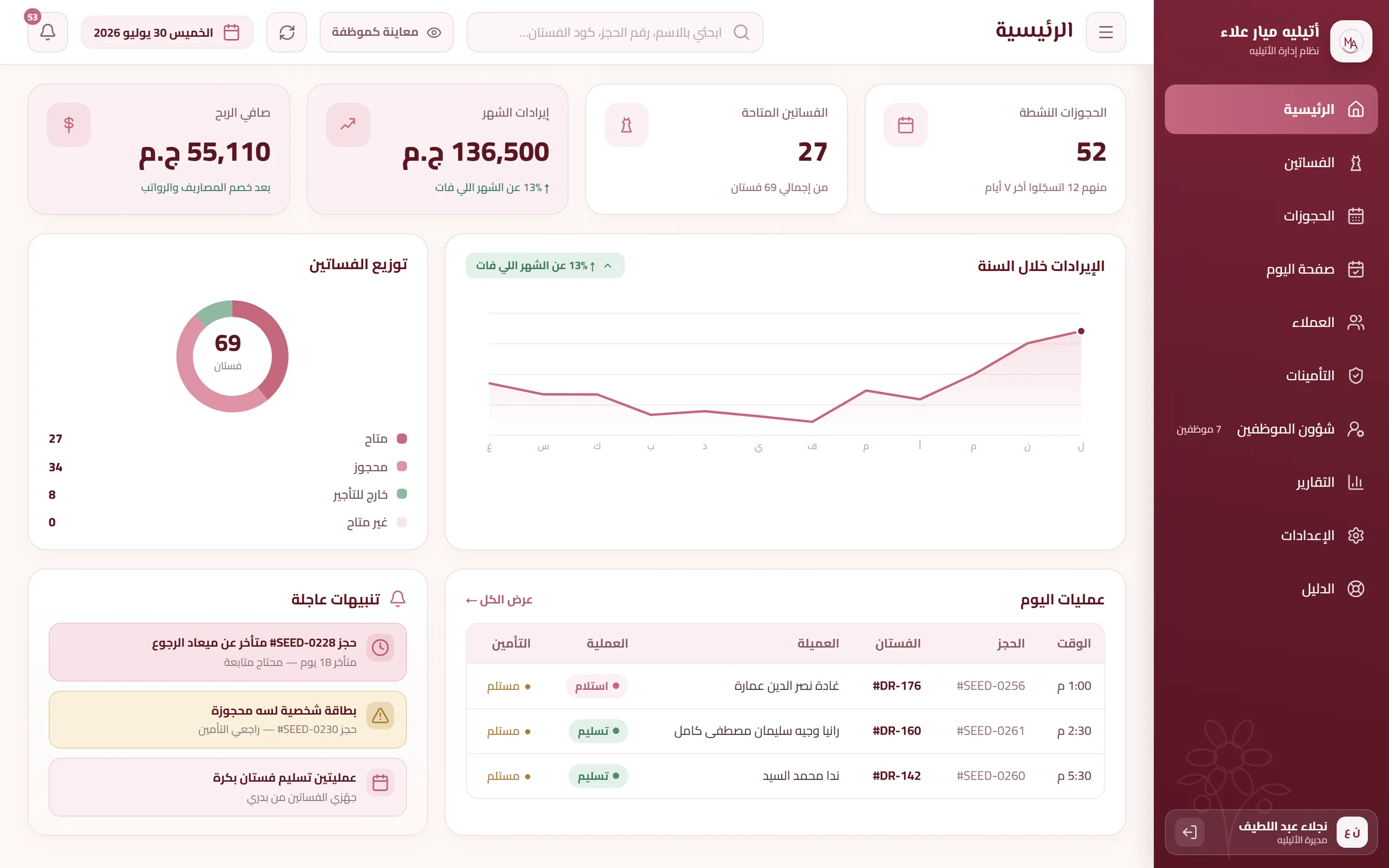
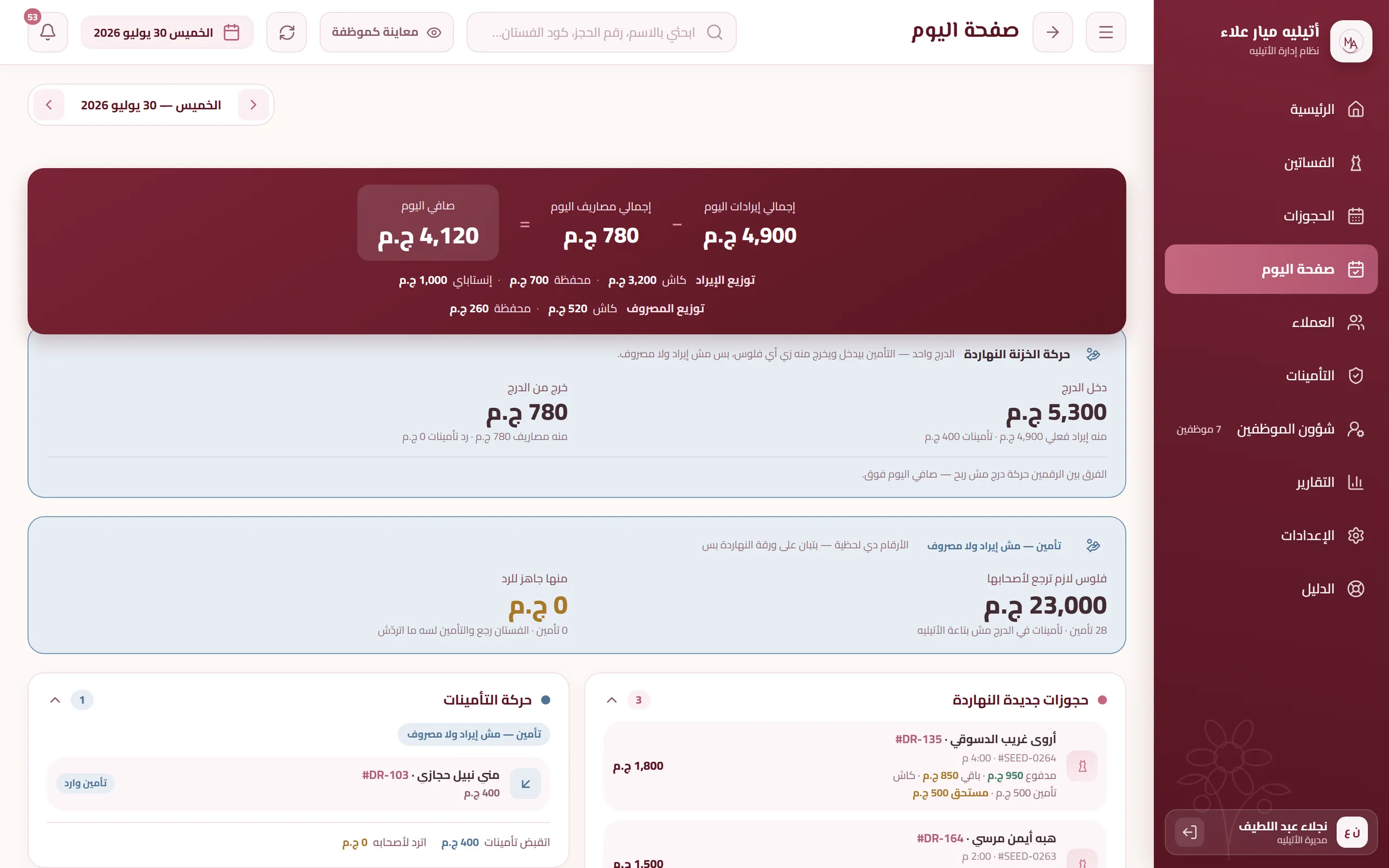
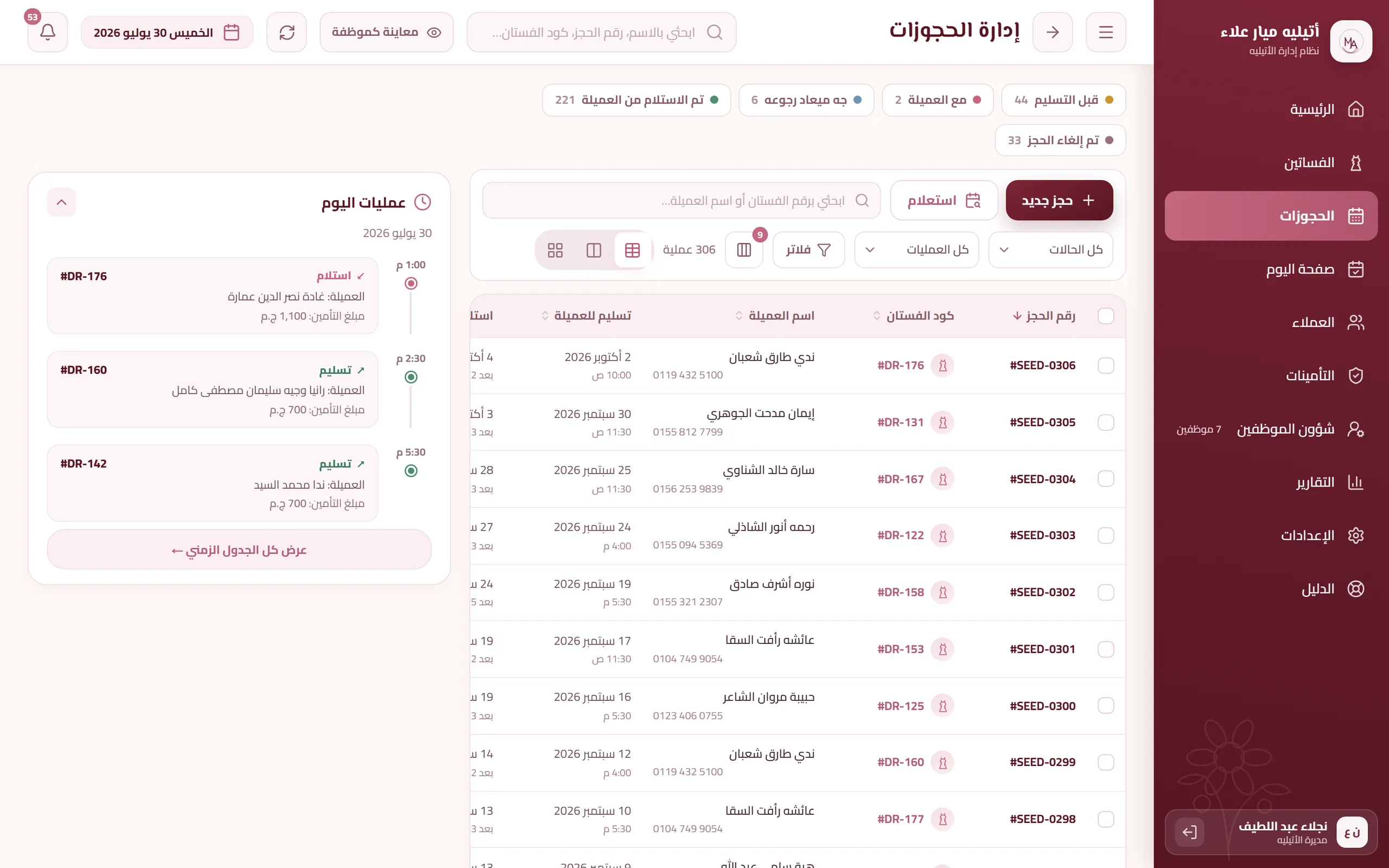
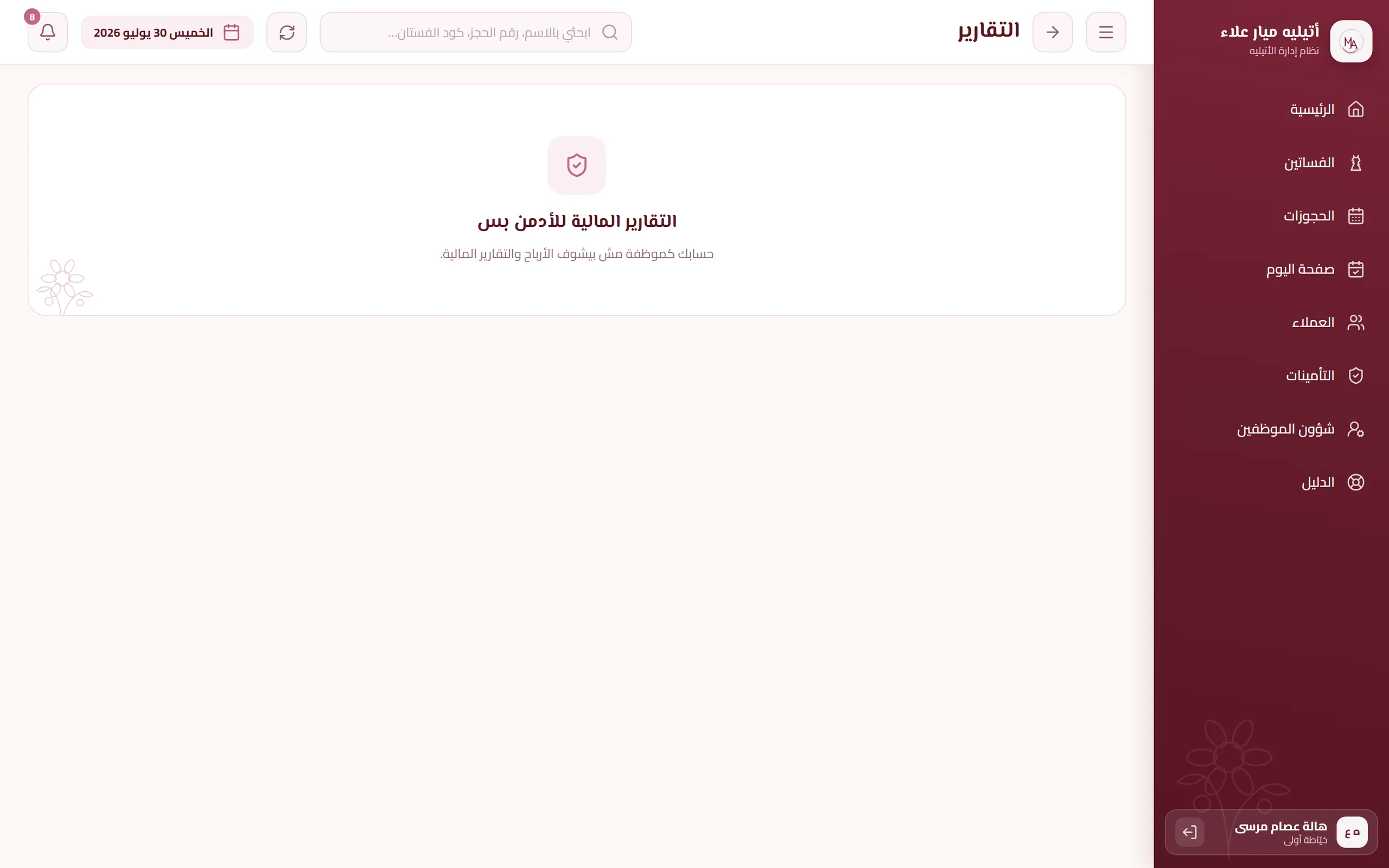
An internal, Arabic-only operations system for a dress-rental atelier. The booking lifecycle is enforced in the database itself — not in the interface and not in the form. Ten screens across 13 pages and 8 API routes, with two roles, admin and staff; the difference between them is enforced in three layers, the last of which is row-level security in the database. The interface is Arabic, right-to-left, with no language switch, and it runs from a 320px phone up to desktop as the same system rather than a reduced copy.
- 83,064
- total lines under src/
- 70
- SQL migration files
- 21/21
- tables with row-level security
- 53
- row-level security policies
- 5,711
- Arabic strings in 41 string files
- 21
- verification scripts, 16 of them behavioural
- 226
- commits across 9 calendar days
- Sector
- Dress rental — service retail
- System type
- Internal web operations system, two roles: admin and staff
- Surface
- 10 screens · 13 pages · 8 API routes
- Language
- Arabic only — fully right-to-left, no language switch
- Devices
- Mobile from 320px and desktop — the same system, not a reduced copy
- Build time
- 9 calendar days (22–30 July 2026) · 226 commits
- Users
- 4 — reported by the project owner on 30 July 2026, not a measured figure
- Deployed at
- mayar-atelier.vercel.app
The problem the system was built to prevent
This section describes the operational problem the system was built to prevent. Its source is the rules enforced in the code and in the database — it is not a description of how the atelier used to work, which is knowledge the owner has and the code does not.
Read the detailHide the detail10 points
- Booking
- — One dress and two overlapping periods means two clients waiting for the same piece on the same day. The problem does not show up at the moment of booking; it shows up on the delivery day.
- Money
- — Paid and remaining are two numbers said to a client at the door. If that number is typed by hand into a field, it is an opinion rather than a fact, and it can drift away from the payment record with nobody noticing.
- Security deposit
- — The deposit is taken at booking and returned after the dress comes back. Any moment where it is unclear whether it was returned or not is money in the drawer with no known owner.
- Inventory
- — A dress that comes back from a rental needs preparation, and preparation takes time. A dress booked for a date it is not ready for is a promise that will not be kept.
- Permissions
- — Dress purchase prices and team salaries are not the staff member's business. Hiding the button from the screen is not protection: the device itself is shared, and developer tools are open to anyone.
- Traceability
- — When a number changes and nobody knows who changed it, the question does not get answered — it turns into suspicion between people who work together.
- Search
- — An Arabic name is written in more than one form. A search that returns zero results makes the staff member open a new file for a client who already exists — and a week later there are two files for one person, with her history and deposits split across them.
- Losing connectivity
- — Handing a dress over and taking it back both happen at the door. If the network drops at that moment, the operation is either lost or recorded twice.
- Knowledge
- — A new staff member needs to know what every status and every field means. A guide that drifts behind the screens is worse than no guide: it points her at something that does not exist while she is confident she is reading the official source.
- Backups
- — The database's current hosting plan reports pitr_enabled: false and backups: [] — meaning there is no automatic backup of the database at all.
Where the build started, and the flow it is built around
Read the detailHide the detail
Before the first line of code, we decided what would not be built. Those decisions were taken ahead of implementation and written down in README.md section 7. Each of them removes a feature from the system — the gain is that what is left actually works.
No dress photographs: a dress is identified by its code (DR-101) and nothing else. No intermediate stage after a return either — the only question at return time is when the dress will be available to rent again, and the answer is stored in available_from and feeds straight into the booking check.
The security deposit has one fixed shape: an ID card plus cash, taken at booking, with a mandatory amount — create_booking rejects a booking without it. No printing, no invoices, no receipts. Notifications stay inside the system; not a single message goes out to a client.
Attendance is approved by the admin, with no location tracking. Sign-in is by mobile number: the word email appears on no screen, and the number is converted into an internal identifier on the .invalid domain reserved by RFC 2606. Measurements are detailed only — the text size (40) and the centimetre measurements were two descriptions of the same thing and contradicted each other, so the text size was removed in migration 0057. The backup is manual: an Excel file the admin downloads whenever she wants.
What makes this a system rather than a set of forms is one enforced flow that is not left to the interface. The booking lifecycle runs booked to delivered to returned, with cancellation available only from booked. Three legal transitions and no others; any move backwards or any skipped stage is rejected.
The guard sits on the table itself. guard_booking_status_transition (migration 0033, extended in 0039 to cover inserts) runs before insert or update on bookings, and it carries no exemption for the service_role. An illegal transition is rejected even from a script running with the server key, and it comes back as an explicit 42501 error. A new row must start at booked; a booking created in any other status is rejected. The only opening is a deliberate administrative correction (migration 0063): one step backwards, on the row named by its exact id, and locked for every other row in the same transaction.
Other rules sit around that cycle, all of them in the database: dress readiness at booking time through available_from, a GiST exclusion constraint that prevents two bookings overlapping on the same dress, a ceiling on payments, paid_amount recomputed from the payments record after every insert, update or delete, a guard that reverts any direct write to paid_amount, and a delivery that resets the deposit row to held. The practical result is that a booking and its payment record cannot disagree — and there is no path, not from the interface, not from a manual query, not from new code, that can make them disagree.
Arabic-first and responsive
Arabic first, not translated Arabic. The interface is entirely Arabic and right-to-left, with the sidebar on the right. There is no second language and no switch.
Read the detailHide the detail6 points
- Every string lives in one place. Any text shown to the user lives in src/lib/strings, one file per screen; Arabic written directly inside a component is forbidden and the check:rules script enforces it. Measured: 5,711 Arabic strings across 41 files, and only 197 Arabic strings outside them — of which just 6 are in .tsx files, the rest being error messages in Server Actions and backup column names.
- Western digits everywhere — a size reads 45, a dress code reads #DR-101, and dates and amounts render as 20 يوليو 2026 and 3,000 ج.م. All formatting comes from src/lib/format.ts, with no hand formatting, so the output stays identical between the server and the browser.
- The time zone is written explicitly: a single TIME_ZONE constant in the display layer, and now() at that same time zone inside the database functions, across 18 migration files. Today is one number on the screen and in the database, not two depending on where the server sits.
- Arabic search normalisation handles alef maqsura, taa marbuta, hamza, diacritics, tatweel and Eastern Arabic numerals — for names only. Dress codes, booking codes and mobile numbers are searched as raw text.
- check:mobile opens every screen at 390px in a real browser and confirms: no horizontal scroll, every touch target at least 44px, input font at least 16px (below that iOS zooms), and the bottom tab bar not covering the end of the content.
- check:responsive walks a matrix: every screen by every width, from 320 up to 820 and back down, across Chromium and WebKit.
Home on a phone screen
The screens
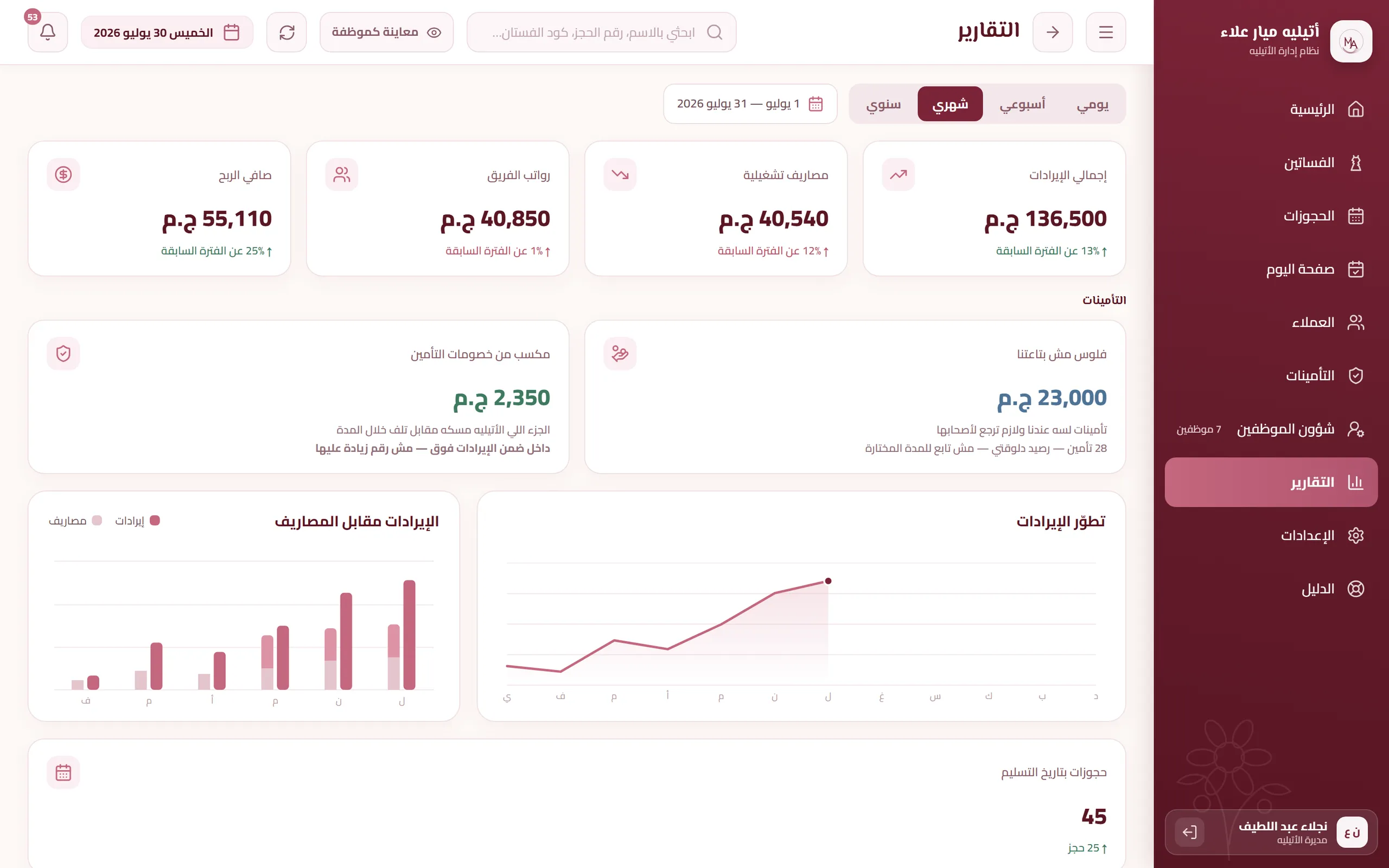
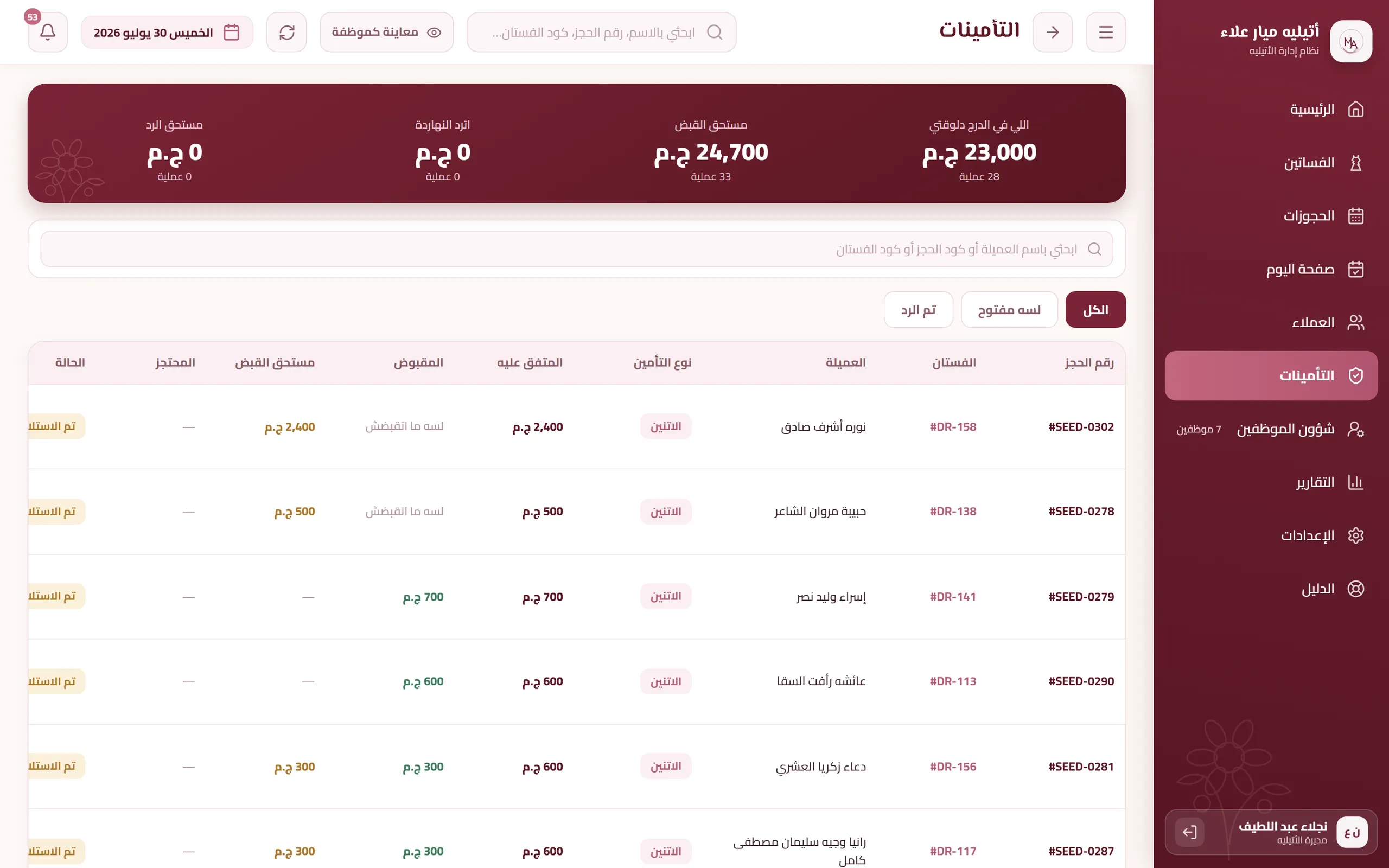
28 screensAll client, staff and financial data in the screenshots is generated demo data — no real client, no real employee and no real amount of money appears anywhere; the application, the code and the database structure are real, and the atelier's name is shown with its owner's permission.
Sign-in and home
The working day
Registers and tables
Detail views
Reports
The team
Permissions
Settings
In-app guide
What enforcement changes
| Without enforcement | In this system |
|---|---|
| Paid and remaining: a number typed by hand that can drift from the payment record | Computed from the payment record, and a direct write to it is reverted |
| Booking status: any code or query can write any status | Three legal transitions only, enforced on the table |
| The same dress for two periods: a check in code that a new path can forget | An exclusion constraint in the database rejects the row |
| A payment larger than the total: accepted, and it shows up in the reports | Rejected at insert time |
| A dress that is not ready yet can be booked for a date it is not ready for | The booking is rejected by the available_from check |
| The deposit at delivery can stay marked as returned while the dress is still out | It goes back to held automatically with the delivery |
| Salaries and purchase prices: a hidden column in the same table | A separate table with an admin policy, and it never downloads to the staff device |
| Who changed what: not recorded | 12 tables recorded with the actor and the before and after values, and the row cannot be removed |
| Search by name: one spelling does not find the other, producing a duplicate file | Both spellings reach the same client |
| Working with the network down: the operation is lost or recorded twice | It is stored and sent once, and anything rejected is raised to the manager |
| The guide drifts behind the screens quietly | The build fails if a screen has no section |
| Backup: none, since the plan carries no automatic backups | An Excel file the admin controls, verified row by row against the database |
Without enforcement
Paid and remaining: a number typed by hand that can drift from the payment record
In this system
Computed from the payment record, and a direct write to it is reverted
Without enforcement
Booking status: any code or query can write any status
In this system
Three legal transitions only, enforced on the table
Without enforcement
The same dress for two periods: a check in code that a new path can forget
In this system
An exclusion constraint in the database rejects the row
Without enforcement
A payment larger than the total: accepted, and it shows up in the reports
In this system
Rejected at insert time
Without enforcement
A dress that is not ready yet can be booked for a date it is not ready for
In this system
The booking is rejected by the available_from check
Without enforcement
The deposit at delivery can stay marked as returned while the dress is still out
In this system
It goes back to held automatically with the delivery
Without enforcement
Salaries and purchase prices: a hidden column in the same table
In this system
A separate table with an admin policy, and it never downloads to the staff device
Without enforcement
Who changed what: not recorded
In this system
12 tables recorded with the actor and the before and after values, and the row cannot be removed
Without enforcement
Search by name: one spelling does not find the other, producing a duplicate file
In this system
Both spellings reach the same client
Without enforcement
Working with the network down: the operation is lost or recorded twice
In this system
It is stored and sent once, and anything rejected is raised to the manager
Without enforcement
The guide drifts behind the screens quietly
In this system
The build fails if a screen has no section
Without enforcement
Backup: none, since the plan carries no automatic backups
In this system
An Excel file the admin controls, verified row by row against the database
This table compares only what is visible in the software itself: the left column is the default behaviour of any system without the rule, the right column is the behaviour actually enforced here, and every line is verified in the code or against the production database. Beyond the software, the project owner reported on 30 July 2026 that 4 users are using the system — a reported figure, not a measured one. How the atelier worked before the system, and the results observed after it, are not measured and are deliberately not claimed here.