Laser and cosmetic clinic — multi-branch services
Clinic Management System
An Arabic-only daily operations system for a multi-branch laser and cosmetic clinic, where a client's package balance is the sum of recorded movements and never a number typed over a number.
- System type
- Daily operations web system for a multi-branch clinic, used on phone and desktop, with four roles
- Our role
- Full build — understanding the clinic's day first, then building and checking it screen by screen
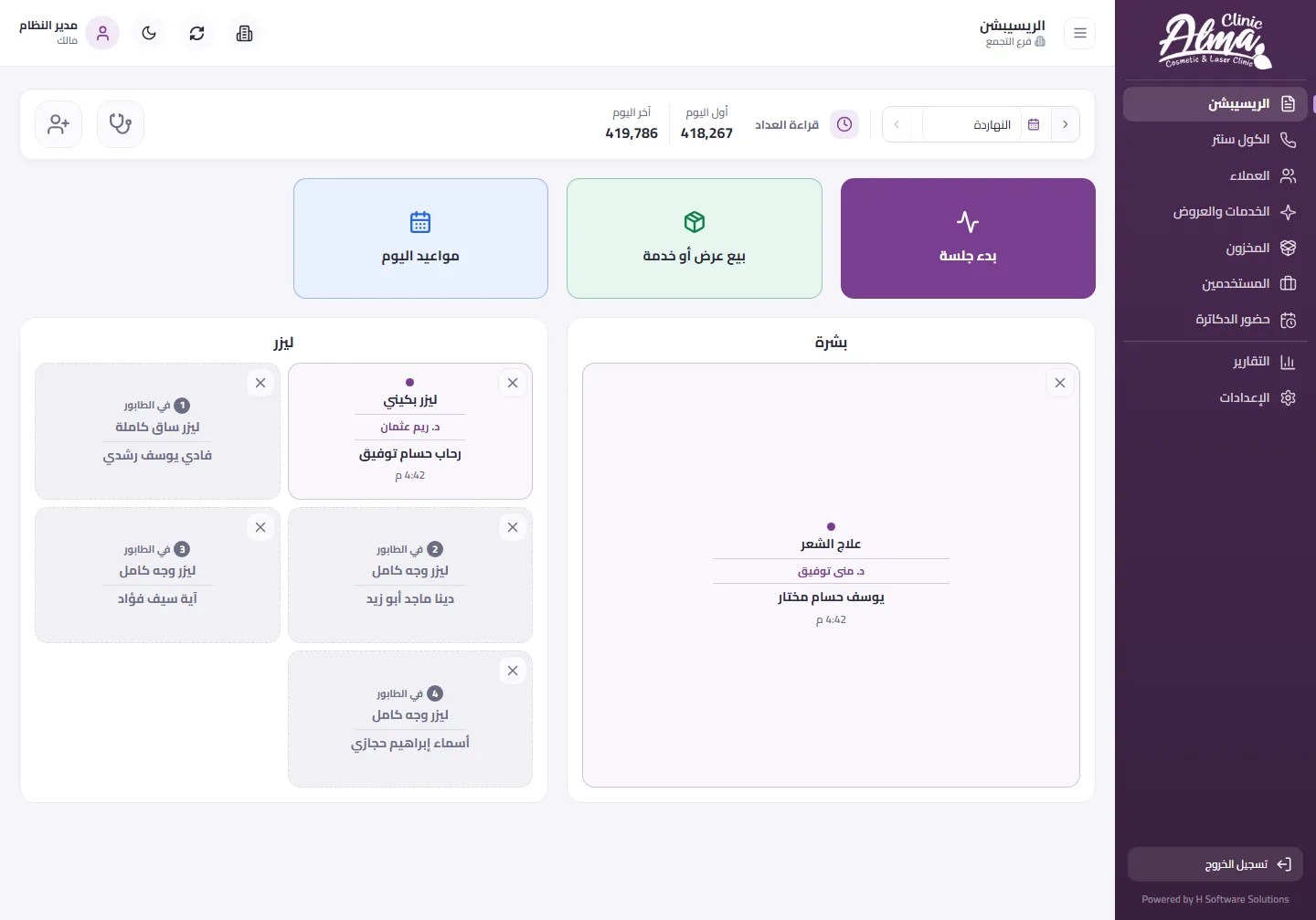
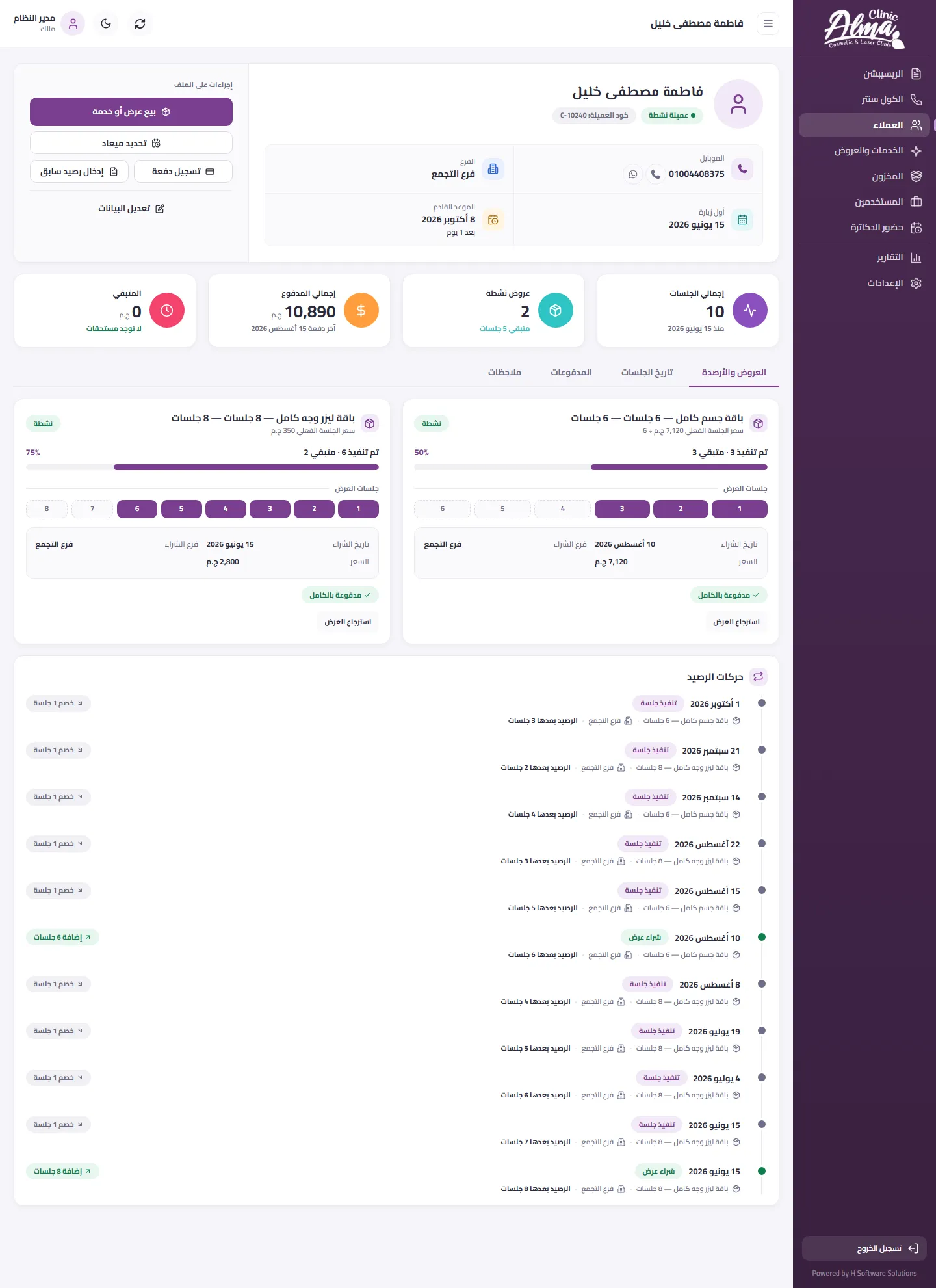
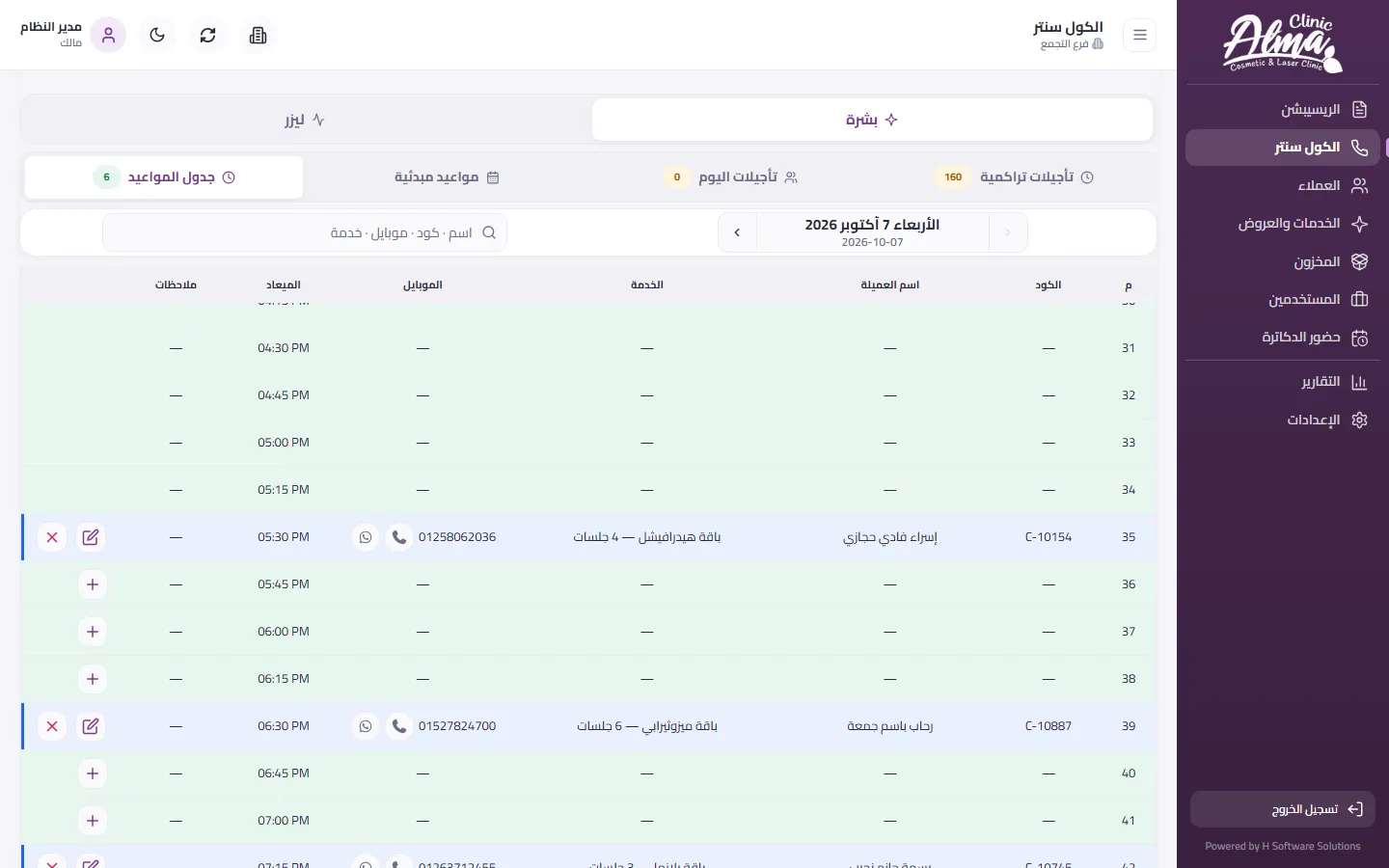
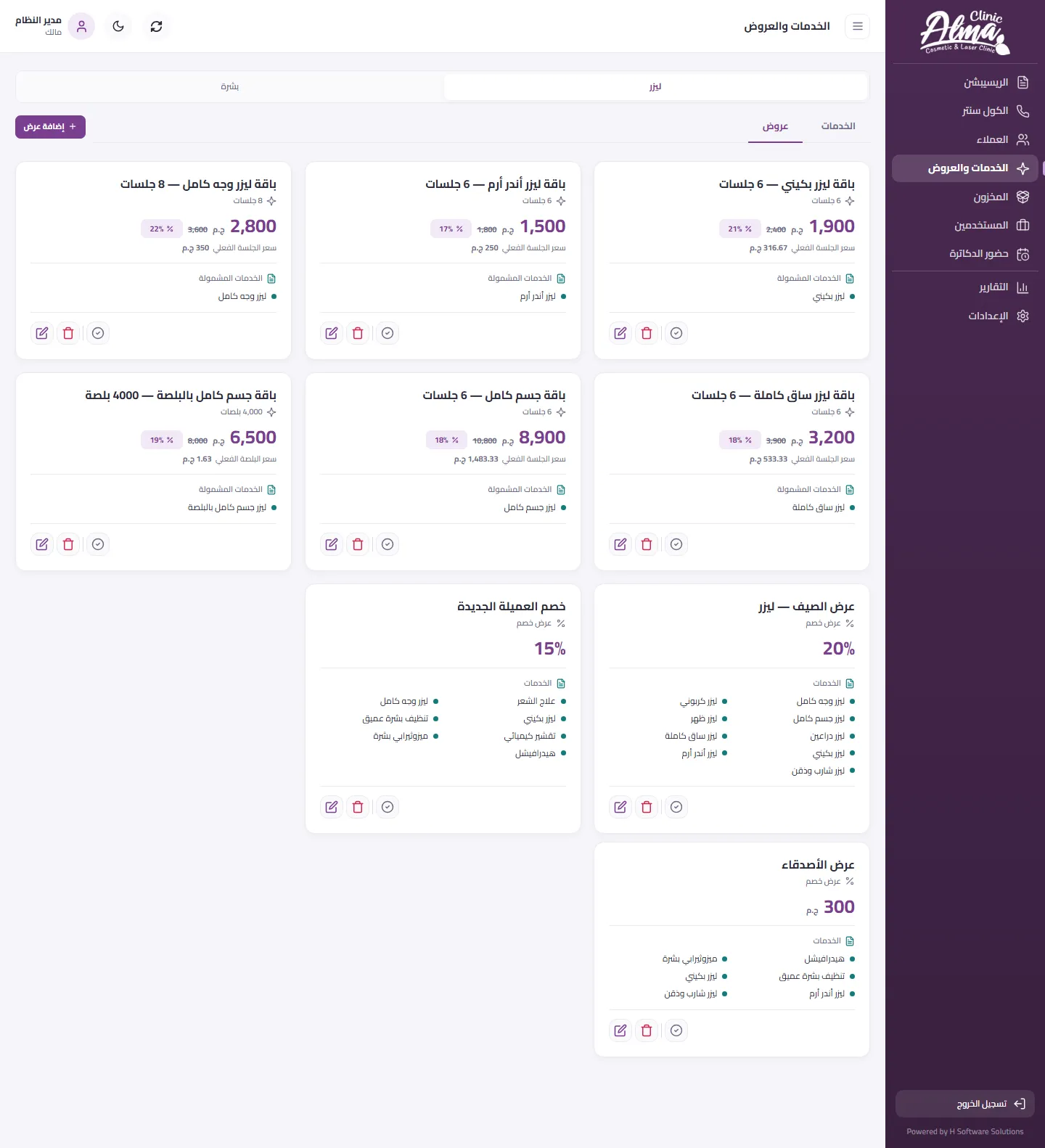
A daily operations system for a laser and cosmetic clinic with more than one branch. It follows the client's visit from the first booking to the follow-up call: reception sees every room and queue on one board, a session starts in two steps, drawn from her package or sold as a single service, and the package balance is the sum of recorded movements rather than a number typed over a number. Each branch has its own day, schedule and stock; each of four roles sees only its own screens; and every change is recorded with who made it and when. The whole interface is Arabic, right to left, and every main screen has a phone version.
- 25
- pages in the application
- 4 × 4
- roles by actions in the permission matrix: view, add, edit, delete
- 3
- branches in the demonstration environment, each with its own day and stock
- Sector
- Laser, cosmetic and skin-care clinic
- System type
- Daily operations for a multi-branch clinic, in the browser
- Coverage
- Each branch has its own day board, schedule and stock — 3 branches in the demonstration environment
- Users
- Four roles: owner, manager, reception, call centre
- Language and direction
- Arabic only — fully right to left (RTL)
- Devices
- Desktop and phone — the same system on both
What a clinic runs on without a system
These are the problems any clinic meets when it runs on paper and separate sheets, and the system was built around them. This section describes working practice, not a measurement of how this clinic worked.
Read the detailHide the detail6 points
- Booking and reception
- — Appointments are written down in more than one place, and the person at the desk cannot tell who has arrived, who has not and who is waiting.
- Packages
- — A package balance is counted by hand, so one wrong box turns into an argument with the client.
- The client's file
- — The history of sessions is scattered, and nobody is sure when the last session was or when the next one is due.
- Follow-up
- — A client who stopped coming, or whose package is nearly finished, is not phoned at the right time.
- Stock
- — An item runs out before anyone notices, and the balance differs from one branch to the next.
- The team
- — Doctors' attendance and shifts are chased by phone call, and each staff member sees more than their own work needs.
Built around the client's visit
Read the detailHide the detail
First we learned how a clinic actually runs: it revolves around the client and her package. A booking, an arrival, a session, a balance that changes, a follow-up. So the system is built on that same journey. Each screen serves one moment of it, and each role sees only the moments that are its own.
We began with the client's day and the staff member's day in the clinic, then built screen by screen and checked each one on phone and on desktop. Each stage closed with automated checks before it was handed over.
What makes it a system rather than a set of forms is the package balance. Every purchase and every session is a new line in a record that is only ever added to, dated and tied to a branch, and the balance is the sum of those lines. No number is written over another, so no balance disappears and every figure can be explained.
The rule that works out the balance is written in one place, so there is no second copy of it to drift apart. Search works the same way everywhere: one box that finds a client by name, mobile number or code, in the client list, in starting a session and in booking.
The visit, from booking to follow-up
The session is the event that moves everything else. Every visit follows the same path, and every step is recorded where it happens.
Read the detailHide the detail11 points
- 01
Book the slot
A booking is made from the call centre or from reception, and the system refuses a slot that is already taken.
- 02
Arrival and queue
The client's arrival is recorded and she joins the queue of her room, laser or skin, in a clear order.
- 03
Start the session
Two steps: find the client, then choose her package or a single service.
- 04
Session in progress
The open session shows in its room on the reception board until it is closed.
- 05
Balance updated
Each purchase and each session is a new dated line, and the package balance is the sum of the lines.
- 06
Follow-up call list
Packages that are nearly finished and clients who stopped coming appear to the call centre as a list to phone.
A balance is a sum, not a number
Every purchase and every session adds a dated line with its branch. Nothing is typed over, so a balance cannot quietly go missing, and a mistake shows and is corrected with a new line.
No slot booked twice
A booking is refused when the slot is already taken or the doctor is already busy.
A session needs a package or a sale
A session does not begin unless the client has a live package or a single-service sale, so every session is tied to something she has bought.
Nothing is erased
Deleting from the screens hides a record rather than removing it for good.
A role sees only its own screens
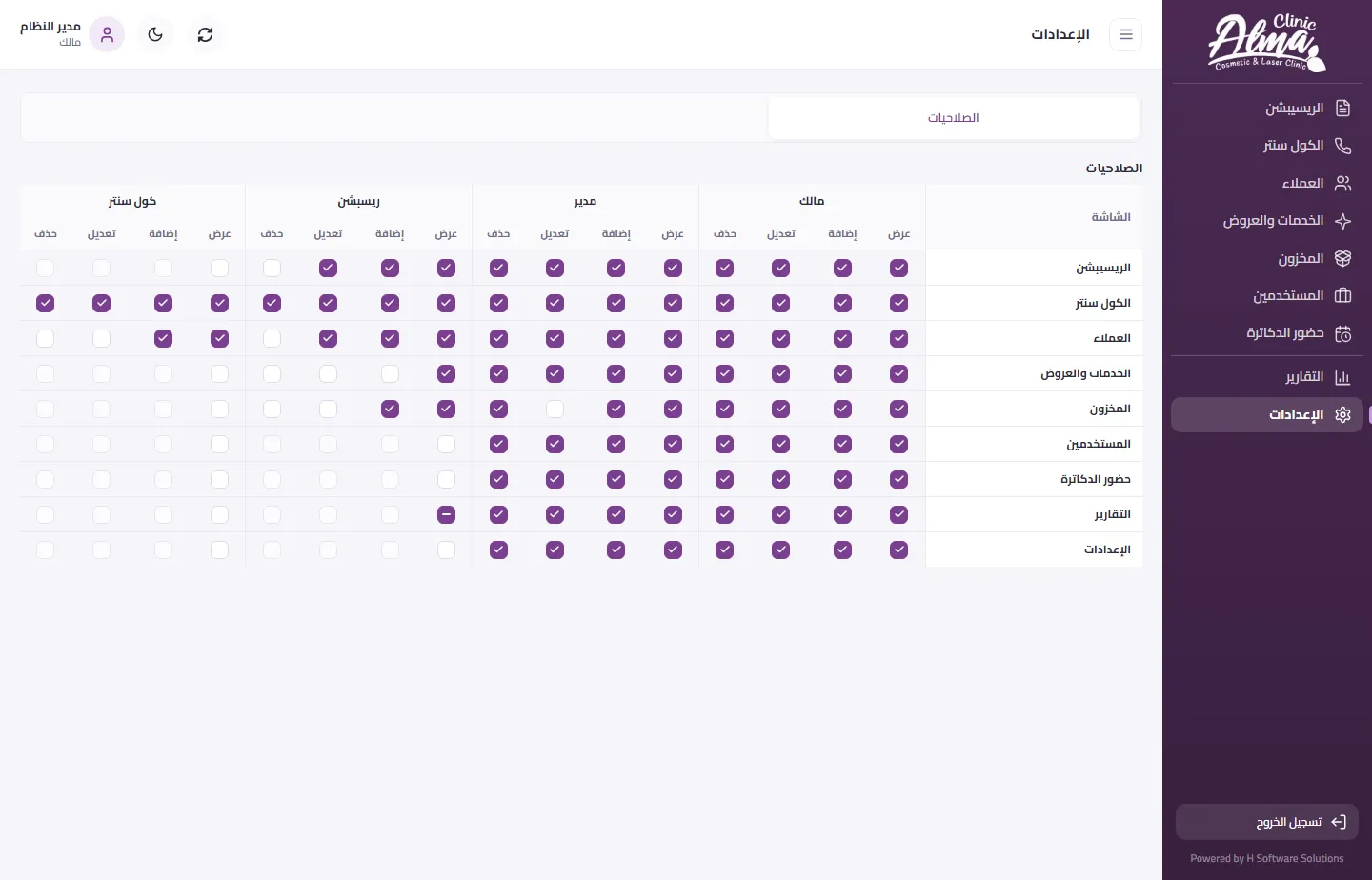
A button a role may not use is not shown to it, and if somebody tries to get round the screen, the server and the database refuse the operation. Every change is logged with who made it and when.
The cycle runs the same way in every branch, each on its own day board, schedule and stock.
The departments
8Read the detailHide the detail8 points
- Reception
- Today's board, the queue, starting a session, today's bookings and confirming the day's doctors.
- Call centre
- A schedule with a slot every quarter of an hour for each department, and a follow-up list of clients to phone.
- Clients
- A list with live indicators and quick search, and a file for each client with her packages, balance, session history and notes.
- Services and offers
- The service catalogue priced per session or per pulse, and packages and offers with the price before and after the discount.
- Stock
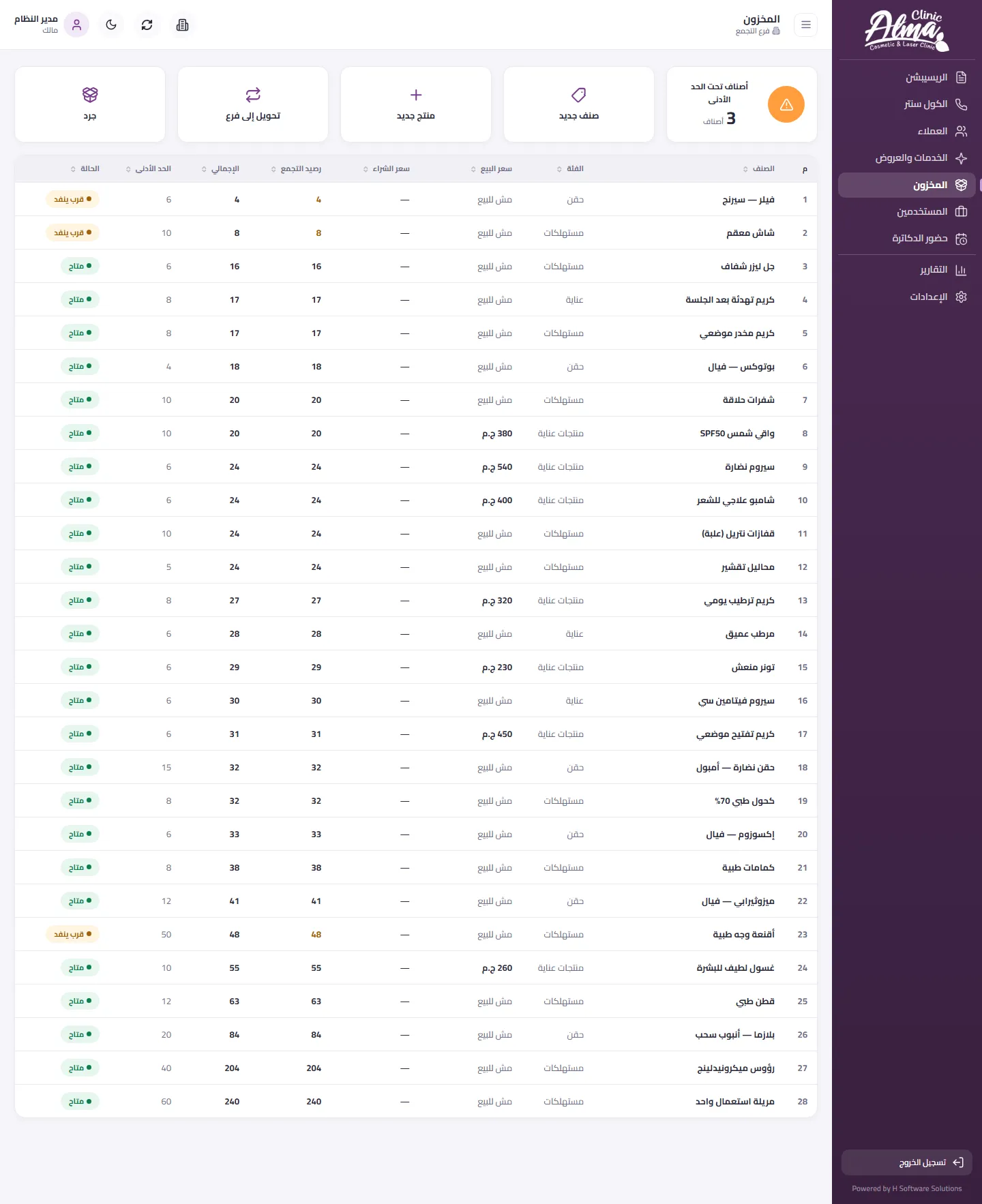
- Each item's balance per branch, a minimum level with a warning, stock counts and transfers between branches.
- Staff and attendance
- The team by role, doctors' shifts and an attendance report.
- Permissions
- A matrix that decides, for each role, what every screen lets it view, add, edit or delete.
- Branches
- Reception, call centre and stock show the chosen branch, and switching branch takes one tap.
Arabic first, and built for the phone
The interface is entirely Arabic and runs right to left on every screen, with clear Latin digits. Every main screen has a phone version of its own.
Read the detailHide the detail5 points
- Wide tables turn into cards on a phone, one card for each client or item, with the main actions kept on every card.
- Dialogs turn into sheets that rise from the bottom of the screen and take its full width.
- A bottom bar shortens navigation to the screens used most, Reports, Clients and a More menu, and a floating plus button adds a client, an item or a staff member.
- Numbers, codes and mobile numbers keep their Latin digits, so they read correctly inside Arabic text.
- The same tabs, filters and counters carry over to the phone, so it is the same system and not a summary of it.
Reception on the phone
The screens
29 screensThe application is real; the data in the screenshots is not. Every client, staff member, price, stock level and appointment shown was invented for display and created in an isolated copy of the system with no connection to the clinic's live data. The branch names and a few on-screen labels are stand-ins.
Reception
Clients
Call centre
Services and offers
Stock
Staff and attendance
Permissions and audit
What changes in how the clinic works
| Without a system | In this system |
|---|---|
| Appointments kept in more than one place | One schedule for each department, with clear slots |
| A package balance counted by hand | A balance worked out from entries that are never edited |
| A client's file scattered across places | One file with packages, sessions and notes |
| Follow-up from memory | A call list ready to work through |
| Stock with no warning | A minimum level and a warning when an item is nearly out |
| Every staff member sees everything | Each role sees only its own screens |
This table describes a change in how the work is done, not a measured gain. The first column is the usual practice of a clinic that runs on paper and separate sheets, not a measurement of how this clinic worked. No time saving and no increase in bookings was measured, so none is claimed. The clinic's real operating volume and number of users were not measured either.