Specialty coffee retail, e-commerce (Egypt)
Ghazzal Coffee
An Arabic-first online store for specialty coffee, with an owner's panel built for a phone that carries each order from the moment it arrives to the moment it is delivered.
- Client
- Ghazzal Coffee
- System type
- Web store plus owner's admin panel, installable as an app (PWA)
- Our role
- Full build: brand and routine first, then store, panel and phone app
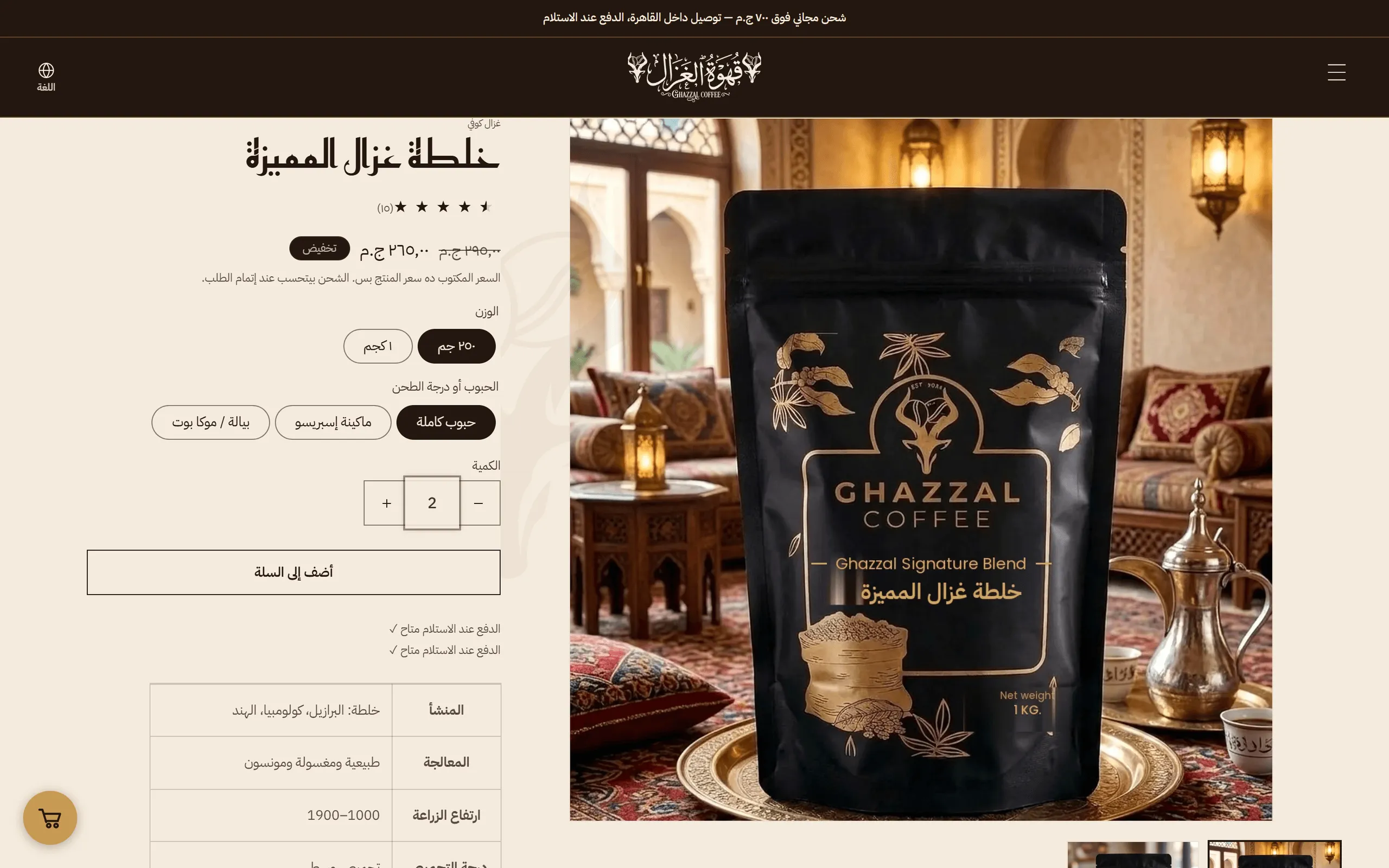
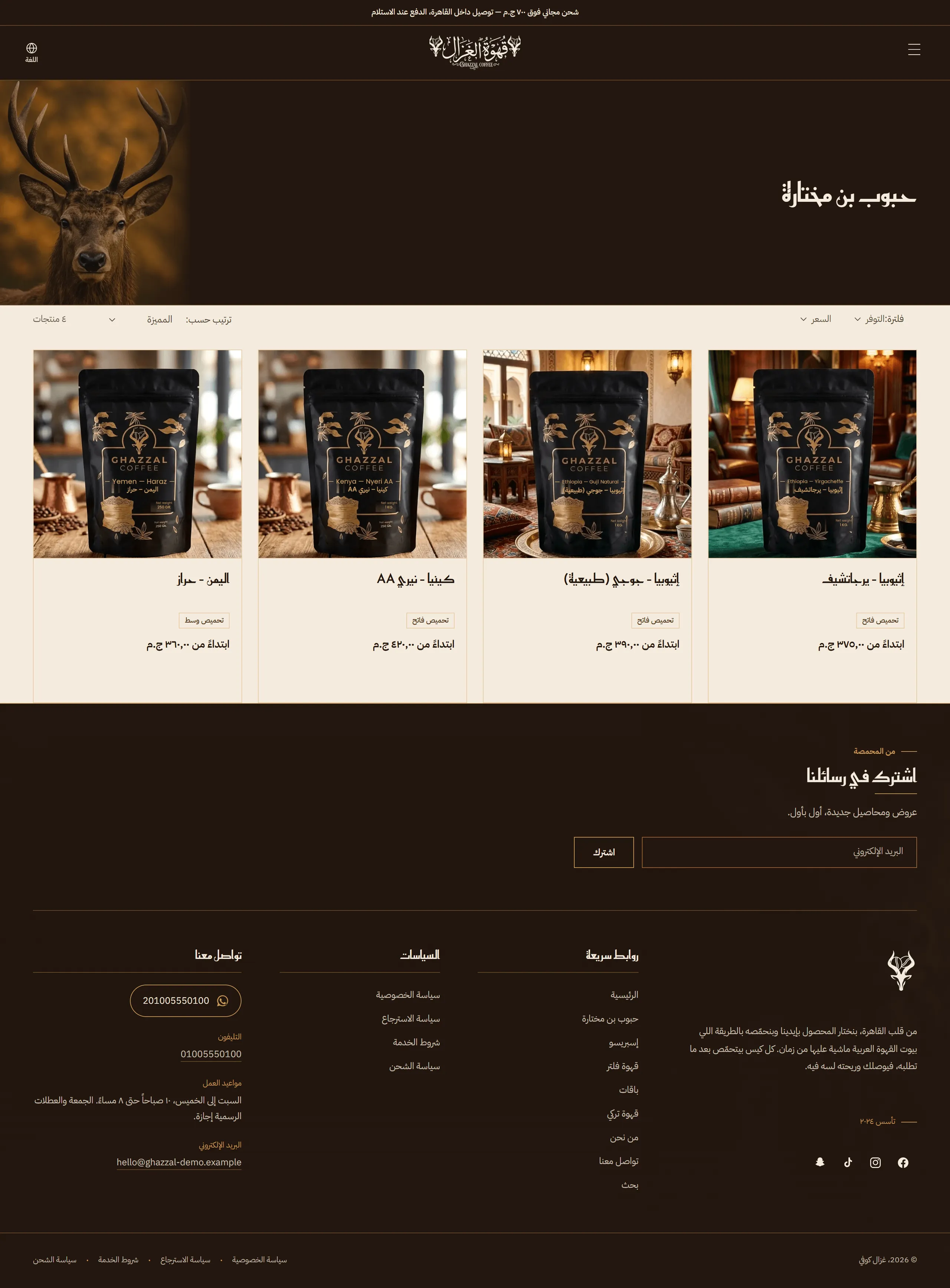
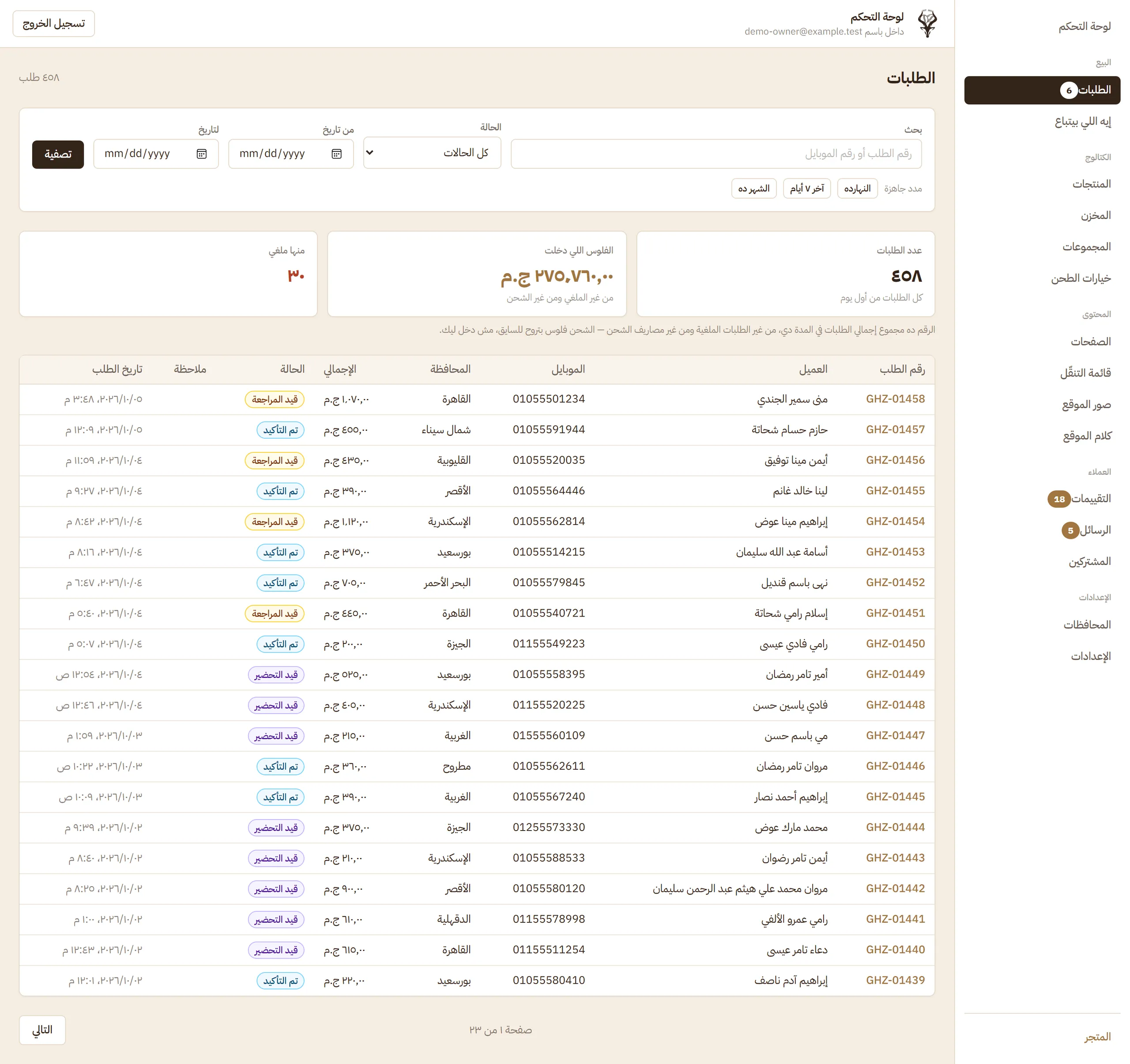
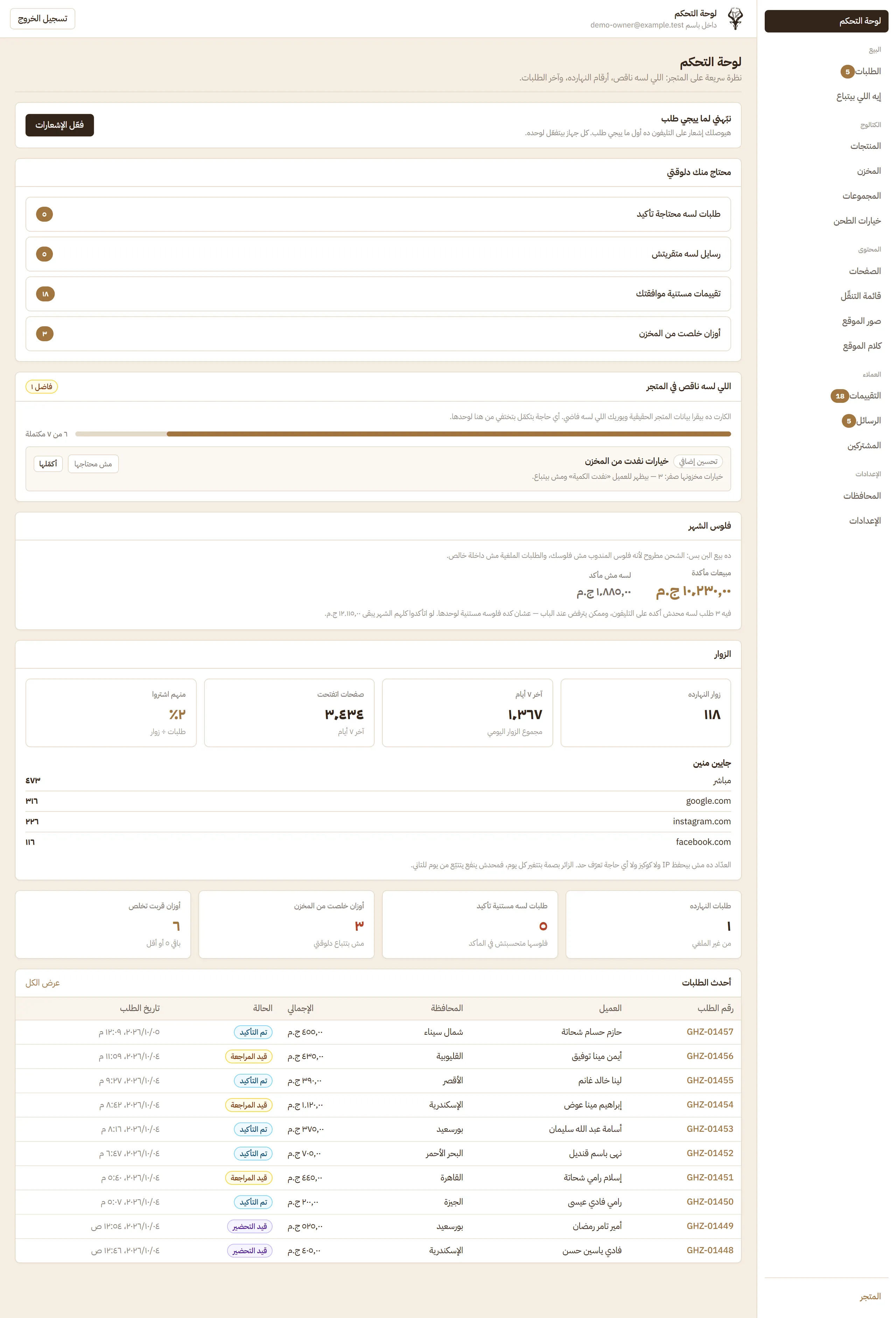
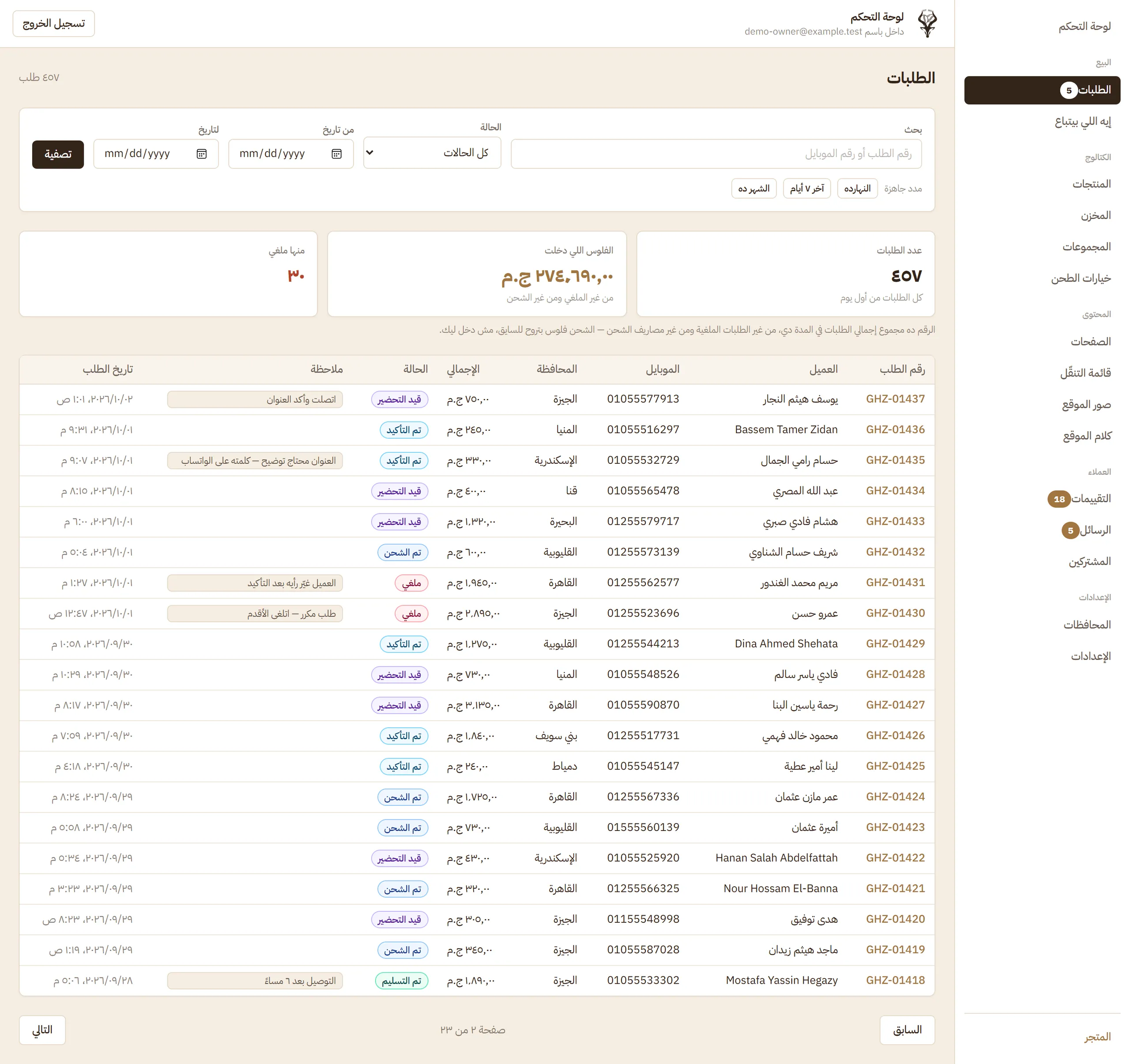
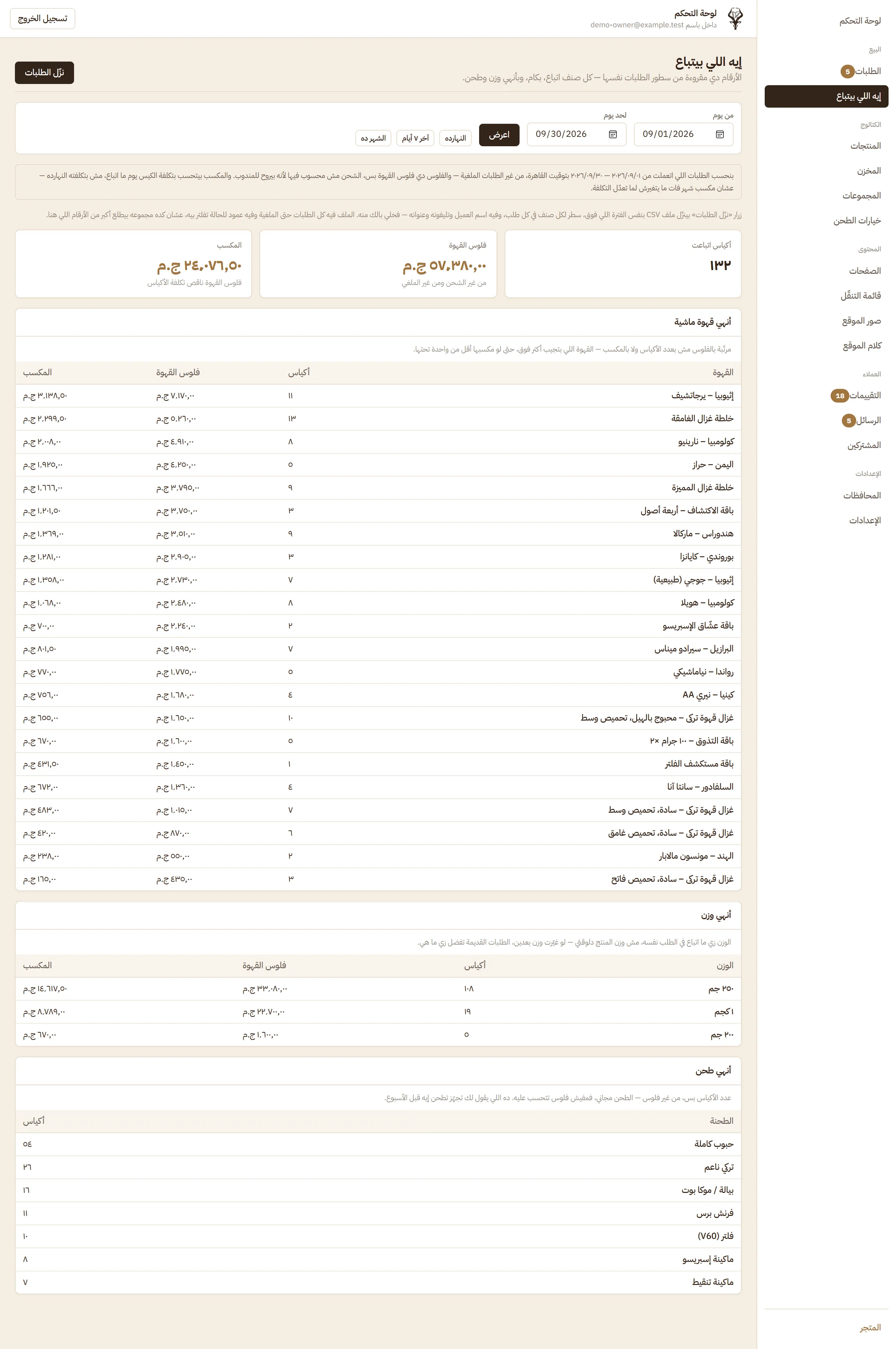
A bilingual storefront with cash-on-delivery checkout, and an Arabic admin panel that takes an order from the moment it arrives to the moment it is delivered. Stock is kept correct as orders arrive and are cancelled, delivery cost follows the governorate, the owner edits the shop's words, images, menu and prices without a developer, and the panel installs on the owner's phone and sends a push notification when an order arrives.
- 11
- storefront pages
- 21
- pages in the owner's panel, sign-in included
- 27
- governorates, each with its own shipping fee
- Sector
- Specialty coffee retail, e-commerce (Egypt)
- System type
- Web store plus owner's admin panel, installable as an app (PWA)
- Coverage
- Public storefront; admin panel for orders, catalogue, stock, shipping, content, reviews, messages, subscribers and reports
- Users
- The store owner, and guest customers (no customer accounts)
- Language and direction
- Arabic by default, right to left, and English
- Devices
- Phone, tablet and desktop; the panel installs on the owner's phone and sends push notifications
The problem before the system
A specialty coffee shop that sells online needs more than a catalogue. Five things make it harder than an ordinary shop.
Read the detailHide the detail5 points
- Every coffee comes in several weights and grinds, and stock is small.
- — Stock changes after every roast, so the count has to stay right as orders arrive and as they are cancelled, or the shop sells coffee it does not have.
- Customers pay on delivery, so an order must be confirmed before it ships.
- — Somebody has to call, confirm and then prepare, and the shop needs to know at any moment which step each order is at and who changed it.
- Delivery cost depends on the governorate.
- — The customer has to see the right fee before ordering, and the owner has to be able to switch a governorate off or set a free-shipping threshold.
- The shop speaks in two languages, in its own voice.
- — The owner wants to adjust the sentences customers read without going back to a developer.
- The person running it is usually on a phone, not at a desk.
- — Confirming, preparing and shipping an order, and checking stock, all have to work from a phone screen.
The system gives the shop one place to sell, to fulfil, and to see what is selling.
The brand and the owner's routine first
Read the detailHide the detail
We started from the brand and from the owner's day, then built everything around the order, because every other screen depends on the order being right.
The rules that must always hold are enforced beneath the screens, not in them: stock cannot go below zero, a cancellation needs a reason, and history is never rewritten. They therefore apply whichever way a change arrives.
The admin panel is written in plain Arabic for a non-technical reader, one task per screen, and designed for a phone first.
The life of an order
One order, followed from the customer's checkout to the doorstep. The owner moves it forward from the order page, and every move is recorded.
Read the detailHide the detail10 points
- 01
Customer orders
A guest checks out with cash on delivery, with no account, and gets a numbered receipt.
- 02
Owner confirms
The new order appears at the top of the list, and the owner confirms it with the customer.
- 03
Preparing
The coffee is roasted, weighed and packed to the weight and grind that were chosen.
- 04
Shipped
The owner prints a driver sheet with the address and the amount to collect.
- 05
Delivered
The order is closed and its delivery details are locked against edits.
Stock never goes below zero
If a coffee runs out on any line, the whole order is refused and the customer is told which one.
The browser never sets a price
Totals are always worked out from the shop's current prices, never taken from the customer's device.
A cancellation needs a reason
The reason comes from a fixed list, and the coffee goes back into stock automatically.
Every change is logged
Each status change is kept with who made it, when, and from what to what, and shows as a timeline on the order.
An order keeps its own copy
Name, weight, grind, price and cost are copied onto the order, so changing the catalogue later never changes a past order.
The departments
8Read the detailHide the detail8 points
- Storefront
- Collections, product pages, search, cart, checkout, reviews and newsletter sign-up
- Orders
- Status control, cancellation reasons, notes, timeline, driver sheet and CSV export
- Catalogue and stock
- Products, weights, prices, costs, grind options, and stock typed as a difference after a roast
- Shipping
- A fee for each governorate, switchable on or off, and a free-shipping threshold
- Content
- Pages, menu, images, announcement bar and the sentences customers read, in both languages
- Customers
- Review moderation, contact messages and newsletter subscribers
- Reports
- Work waiting, a setup checklist, and a sales report with profit from the cost on each sale day
- Phone
- The panel installs as an app and notifies the owner of a new order or a coffee on its last bags
Two languages and a phone
The store is Arabic by default and mirrors fully to English, and the owner's panel is built to be used from a phone.
Read the detailHide the detail5 points
- The storefront serves Arabic and English, with Arabic as the default and the whole layout mirrored for right-to-left.
- Product, collection and page content is stored in both languages, so it is not only the interface that is translated.
- Prices follow the language: Arabic-Indic digits with the pound mark in Arabic, and Latin digits with EGP in English.
- On small screens the store gets a bottom tab bar, and the panel installs on the owner's home screen like an app.
- The panel is in Arabic only, because that is the language of the person who reads it every day.
Home Page on a Phone
The screens
40 screensThe software is real; the people in the screenshots are not. Every customer, order, review, message, subscriber, contact detail and report figure shown is invented demo data on an isolated copy of the system. The brand, the product catalogue with its public prices, and the shipping regions and fees are the store's own.